
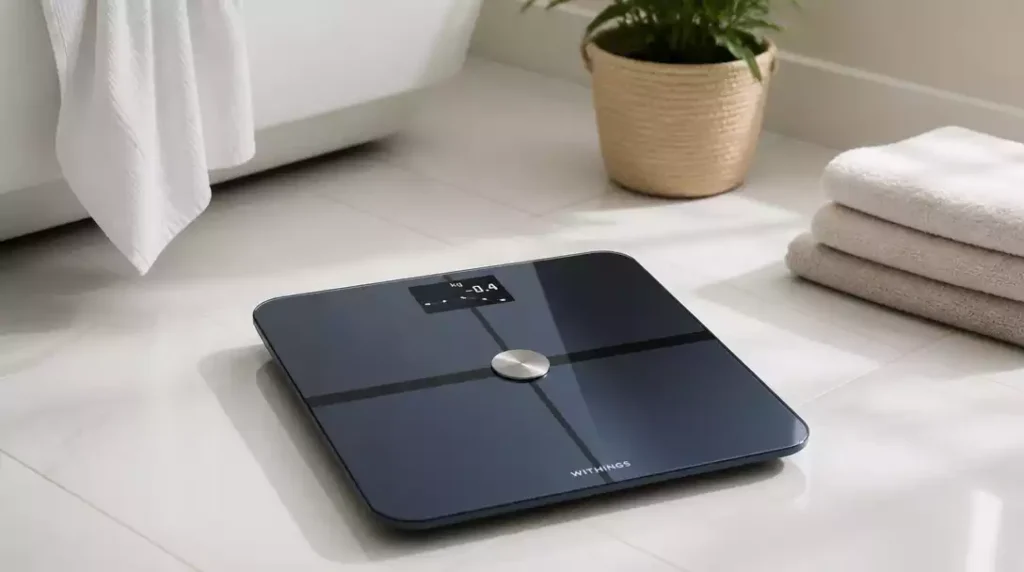
Have you ever experienced frustration with inaccurate readings from your scale? Resetting your Withings scale might just be the solution you need. This guide will walk you through the essential steps to restore your device to its factory settings and ensure it functions optimally.
What You Will Learn
- Recognize common scenarios when a factory reset is necessary, such as inaccurate readings or connectivity issues.
- Identify your specific Withings scale model for accurate reset instructions.
- Follow step-by-step reset procedures tailored for each Withings scale model.
- Unpair your scale from devices and dissociate it from your account before resetting.
- Troubleshoot common reset issues, including checking Bluetooth and Wi-Fi connectivity.
- Ensure your scale’s firmware is updated to enhance performance and ease the reset process.
How to Reset Your Withings Scale
Why You Might Need to Perform a Factory Reset
There are several common scenarios where you might find yourself needing to reset your Withings scale. Perhaps you’re experiencing troubleshooting issues like inaccurate readings or connectivity problems. It’s also possible that you’re switching accounts or getting ready to sell the scale and want to wipe your data clean. Whatever the reason, a factory reset is a straightforward process that can resolve many issues.
It’s important to recognize that if you encounter problems, this reset might be your first step towards a solution. If your scale isn’t syncing with the app or is unresponsive, a reset could restore its functionality. Additionally, resetting clears your personal data, making it safe to pass the scale on to someone else.
- Inaccurate readings
- Connectivity issues
- Changing user accounts
- Preparing for sale
By understanding these scenarios, you’re better prepared to decide when a reset is necessary. It could save you time and frustration if you know when to take this step! If you’re encountering similar issues with other devices, learning how to reset a bathroom scale generally can also be helpful.
Identifying Your Withings Scale Model
Before you can reset your scale, it’s essential to identify which model you have. Withings has released several models, including the Body, Body+, Body Smart, Body Comp, Body Scan, and WS-30. Each model has its own features and reset procedures, so knowing your specific model is crucial.
To determine your model, look at the label on the bottom of the scale or check the packaging if you still have it. If you can’t find the information there, you can often find it in the app associated with your scale. Knowing your model not only makes the reset process easier but also ensures that you follow the correct instructions for your device.
- Body
- Body+
- Body Smart
- Body Comp
- Body Scan
- WS-30
Once you’ve identified your model, you’re ready to move on to the next steps in resetting your Withings scale!
Step-by-Step Instructions for Resetting Your Withings Scale
Factory Reset Procedures for Each Model
Now that we’ve covered the reasons and identification of your Withings scale, let’s dive into the detailed reset instructions for each specific model. Each reset might vary slightly, so following these precise steps will ensure your scale is reset properly.
Resetting the Withings Body and Body+
To reset the Withings Body and Body+ scales, follow these steps:
- Locate the small button on the back of the scale.
- Press and hold the button for about 8 seconds.
- Watch for the display to flash, indicating that the reset is in progress.
This simple process will restore these models to factory settings! If you encounter any issues during this step, feel free to refer back to your user manual for additional guidance.
Factory Reset for Body Smart, Body Comp, and Body Scan
Resetting the Body Smart, Body Comp, and Body Scan scales involves a slightly different process:
- Ensure the scale is powered on.
- Press and hold the button on the side for approximately 10 seconds.
- Wait for the screen to indicate a successful reset.
This method takes advantage of the unique features of these advanced models, making the reset efficient and straightforward.
Resetting the WS-30 and Older Models
If you’re using the WS-30 or even older models, follow these steps:
- Remove the batteries from the scale.
- Wait for about 30 seconds before reinserting them.
- Once the batteries are back in, your scale will have reset.
This method is particularly effective for older models, ensuring that they return to their original settings! For similar instructions on various devices, you might also be interested in how to reset an Etekcity scale.
Unpairing and Account Dissociation Steps
Before you hit the reset button, it’s crucial to unpair your scale from any connected devices and remove it from your account. This step prevents potential issues with data transfer and ensures a clean slate for the new user.
- Open the Withings app on your device.
- Navigate to your devices list and select your scale.
- Choose the option to unpair or dissociate the scale from your account.
Taking these steps will facilitate an easier reset and a smoother transition for whoever may use the scale next!
Understanding Bluetooth and Wi-Fi Connectivity Issues During Reset
Connectivity issues can complicate the reset process, especially if your scale relies on connections to function. If you’re having trouble, ensure that your scale is within range of your Wi-Fi network and that Bluetooth is enabled on your device.
- Verify Wi-Fi connection strength.
- Check Bluetooth settings on your smartphone or tablet.
- Consider restarting both your scale and device.
By troubleshooting these connections first, you can avoid many common reset pitfalls!
Troubleshooting Common Reset Issues
Sometimes, you might encounter issues while trying to reset your scale. Common problems include unresponsive buttons or failed reset attempts. If you find that your scale isn’t responding, try:
- Replacing the batteries (for battery-operated models).
- Ensuring the scale is on a flat surface.
- Re-attempting the reset process after troubleshooting connectivity.
These steps can help you navigate through any hiccups you might face during the reset process.
Firmware Updates and Their Role in Resetting
Keeping your scale’s firmware updated is essential for optimal performance. Sometimes, firmware issues can affect the reset process. Before performing a factory reset, check if there are any pending updates.
- Open the Withings app to check for firmware updates.
- Follow the prompts to install any available updates.
- After updating, you can proceed with the reset.
This not only helps with the reset but can also enhance the overall functionality of your scale!
Pro Tip
Did you know? Keeping your Withings scale away from direct sunlight and moisture can significantly enhance its lifespan and accuracy. Make sure to place it in a stable environment to avoid any unexpected calibration issues!
Frequently Asked Questions About Resetting Your Withings Scale
Q: Why would I need to reset my Withings scale?
A: You might need to reset your Withings scale due to inaccurate readings, connectivity issues, changing user accounts, or preparing the scale for sale.
Q: How do I identify my Withings scale model?
A: You can identify your Withings scale model by checking the label on the bottom of the scale, the original packaging, or within the Withings app itself.
Q: Is the reset process the same for all Withings scales?
A: No, the reset process varies slightly by model. For Body and Body+ models, you press and hold a button on the back. For Body Smart, Body Comp, and Body Scan, you press and hold a side button. For WS-30 and older models, you remove and reinsert the batteries.
Q: Should I unpair my scale before resetting it?
A: Yes, it is crucial to unpair your scale from any connected devices and remove it from your Withings account before performing a factory reset. This ensures a clean slate and avoids potential data transfer issues.
Q: What should I do if I encounter connectivity issues during the reset?
A: If you experience connectivity issues, ensure your scale is within range of your Wi-Fi network and that Bluetooth is enabled on your device. You may also try restarting both your scale and your device.
Q: How do firmware updates relate to resetting my scale?
A: Keeping your scale’s firmware updated is essential for optimal performance and can prevent issues during the reset process. Always check for and install any pending updates via the Withings app before attempting a factory reset.
Recap of Resetting Your Withings Scale
Resetting your Withings scale can feel daunting, but it’s a straightforward process when broken down into key steps. To recap, here are the vital actions you’ll need to take:
- Identify your specific Withings scale model.
- Follow the tailored reset instructions for that model.
- Unpair the scale from your devices and dissociate it from your account.
- Consider any connectivity issues that might arise during the reset.
- Keep firmware updated for optimal performance and smoother resets.
By keeping these steps in mind, you can ensure a seamless reset experience and get back to tracking your health metrics without a hitch! For more general information on maintaining your devices, explore our guide on how to fix a bathroom scale.
Encouraging User Engagement and Feedback
I’d love to hear about your experiences with resetting your Withings scale! Have you encountered any challenges or found some clever tips? Sharing your journey can really help others in our community navigate their own reset processes. Feel free to drop your thoughts, questions, or advice in the comments!
Next Steps: Updating and Maintaining Your Withings Scale
Once your scale is reset, it’s crucial to keep it in top shape. Here are some resources to help maintain your scale:
Regular updates and maintenance ensure your scale functions accurately and continues to provide valuable health insights!
Exploring Multi-User Support and Personal Profiles
Did you know that your Withings scale can support multiple users? Setting up personal profiles allows each user to track their health metrics accurately. Here’s how you can take advantage of this feature:
- Create individual accounts for each user in the Health Mate app.
- Follow the app’s prompts to set up personal profiles based on weight goals and metrics.
- Regularly update your profiles for the best tracking experience.
With these profiles, each member of your household can benefit from personalized insights, helping everyone on their health journey!
Recap of Key Points
Here is a quick recap of the important points discussed in the article:
- Identify your specific Withings scale model before attempting a reset.
- Follow the tailored reset instructions for your specific model.
- Unpair the scale from all connected devices and dissociate it from your account prior to resetting.
- Be aware of potential connectivity issues that may arise during the reset process.
- Ensure your scale’s firmware is updated for optimal performance and smoother resets.





