
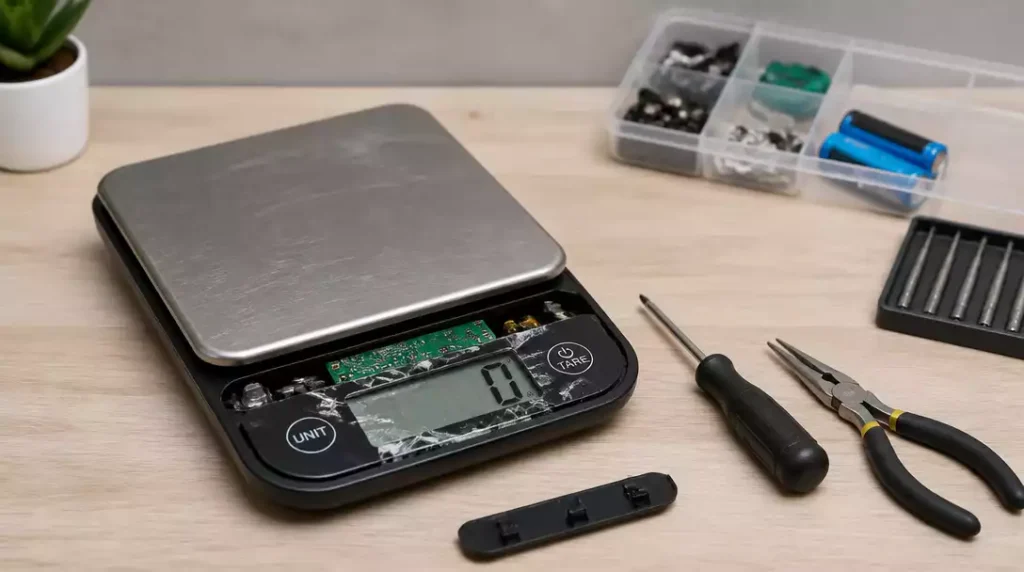
What if a simple device like a digital scale could save you from culinary disasters or fitness frustrations? Understanding how to troubleshoot common issues can empower you to get accurate readings every time!
What You Will Learn
- Key expectations for digital scale performance include quick response times and steady readings.
- Identify signs of a malfunctioning scale, such as failure to power on or fluctuating readings.
- Common error codes like “Err” and “Lo” indicate specific issues that require attention.
- A quick diagnosis table offers clear actions for various scale problems to help you troubleshoot effectively.
- Regular maintenance practices, such as cleaning and calibrating, can extend your scale’s lifespan and ensure accuracy.
- Engaging with online communities can provide valuable insights and support for troubleshooting digital scale issues.
Digital Scales and Common Issues
When it comes to using digital scales, knowing what to expect can really help. These handy devices are designed to provide accurate weight readings, but sometimes they can act up. From power issues to inaccurate readings, understanding how these scales perform will allow you to troubleshoot any problems more effectively.
In my experience with digital scales, it’s essential to recognize that even the best scales can have hiccups. Whether you’re weighing ingredients for a recipe or checking your fitness progress, knowing the typical performance can keep you on track and informed.
What to Expect from Your Digital Scale’s Performance
Your digital scale should provide consistent and precise readings when used correctly. Here are some key things to expect:
- Quick response time when stepping on the scale
- Readings that remain steady after a few seconds
- A clear display that’s easy to read under various lighting conditions
If you notice any deviations from these expectations, it might be a sign that your scale needs some attention. Regular checks can save you from surprises down the line!
Identifying the Signs of a Broken Digital Scale
Recognizing when your digital scale is malfunctioning can save you time and effort. Some obvious signs include:
- The scale fails to power on
- Readings fluctuate wildly or appear inconsistent
- Error codes displayed on the screen
Being aware of these issues can help you address them before they become bigger problems. Trust me, it’s much easier to handle a minor fix than to deal with a completely non-functional scale! If you’re encountering issues with power, you might find our guide on how to change battery in digital scale helpful.

Common Issues with Digital Scales: Error Codes and Display Problems
Many digital scales will show error codes when something’s amiss. Common error codes might include:
- “Err” indicating an overload or calibration issue
- “Lo” suggesting low battery power
- “Cal” signaling that the scale needs calibration
Additionally, display problems such as flickering or dim readings can also indicate that it’s time for some maintenance. Addressing these issues promptly can help your scale perform its best!
Pro Tip
Did you know? Regular calibration can significantly improve your digital scale’s accuracy. Aim to calibrate your scale at least once every six months, or more frequently if you notice any inconsistencies in readings. This simple step ensures that your scale remains reliable for all your weighing needs!
Summary of Key Troubleshooting Steps
When your digital scale starts acting up, it can be frustrating! However, having a handy summary of troubleshooting steps can save you time and effort. Below is a quick reference to help you diagnose and fix common scale issues.
A Quick Diagnosis Table for Common Scale Issues and Error Codes
| Scale Issue | Error Code | Suggested Action |
|---|---|---|
| Scale won’t power on | — | Check power source and battery |
| Inaccurate readings | E1 | Calibrate scale |
| Erratic display | E2 | Check load cell connections |
| Overload warning | — | Remove excess weight |
This table provides a clear outline of what to do if you encounter problems. Remember, addressing these issues promptly can prevent further damage and keep your scale performing well! For more specific guidance on calibration, consider checking out our article on how to calibrate a digital scale.
Checklist of Tools and Procedures for Successful Repairs
- Flathead and Phillips screwdrivers
- Calibration weights for resetting accuracy
- Compressed air for cleaning internal components
- Soft cloth and mild soap for exterior cleaning
Having the right tools on hand can make repairs much smoother. Follow these procedures closely to ensure you’re addressing the right areas. If you ever feel uncertain, don’t hesitate to reach out—I’m here to help!
Frequently Asked Questions About Digital Scale Troubleshooting
- Q: My digital scale isn’t turning on. What should I do?
- A: First, check the batteries. Replace them if they are low or dead. Also, ensure the battery compartment is clean and the batteries are inserted correctly. If it’s a rechargeable scale, make sure it’s properly charged.
- Q: Why are my scale readings inconsistent or fluctuating?
- A: Inconsistent readings can be caused by several factors: an uneven surface, low battery, or the scale needing calibration. Try placing the scale on a hard, flat surface. Replace the batteries if necessary, and consider performing a calibration using a known weight.
- Q: What does the “Err” code on my digital scale mean?
- A: “Err” typically indicates an overload, meaning the weight on the scale exceeds its maximum capacity. Remove any excess weight. It can also signify a calibration error, so recalibrating the scale might resolve the issue.
- Q: How often should I calibrate my digital scale?
- A: It’s recommended to calibrate your digital scale at least once every six months. However, if you notice significant inconsistencies in readings, or after moving the scale to a new location, calibrating more frequently can help maintain its accuracy.
- Q: Can I fix a digital scale that displays “Lo” without replacing batteries?
- A: The “Lo” error specifically indicates low battery power. While you might get a few more readings, the most reliable solution is to replace the batteries immediately to ensure accurate measurements and proper functionality.
Get Your Digital Scale Back in Action
Once you’ve tackled the troubleshooting steps, it’s time to focus on keeping your digital scale in peak condition. Implementing regular maintenance practices is key to extending its lifespan and performance.
Encouraging Routine Maintenance for Longevity: Tips and Techniques
- Regularly clean the weighing platform to remove debris. You can learn more about how to clean a digital scale effectively.
- Check batteries every few months to ensure reliability.
- Calibrate your scale at least once a year to maintain accuracy.
By following these simple maintenance tips, you can avoid many issues before they arise! I always recommend setting reminders to check your scale, just like I do for my own equipment.
Inviting Readers to Share Their Experiences and Questions on Online Forums
I believe that sharing experiences can benefit us all! I encourage you to join online forums or community groups where you can ask questions and learn from others’ troubleshooting journeys. Whether it’s a success story or a tricky repair, your input is invaluable.
Feel free to reach out with your questions or insights—I love connecting with readers who are passionate about keeping their digital scales in top shape!
Recap of Key Points
Here is a quick recap of the important points discussed in the article:
- Digital scales should provide consistent and precise readings when used correctly.
- Signs of a malfunctioning scale include failure to power on, fluctuating readings, and error codes.
- Common error codes include “Err” for overload, “Lo” for low battery, and “Cal” for calibration needs.
- Regular maintenance practices are essential for prolonging the life and accuracy of your scale.
- Utilize appropriate tools and follow procedures for effective repairs and troubleshooting.





