
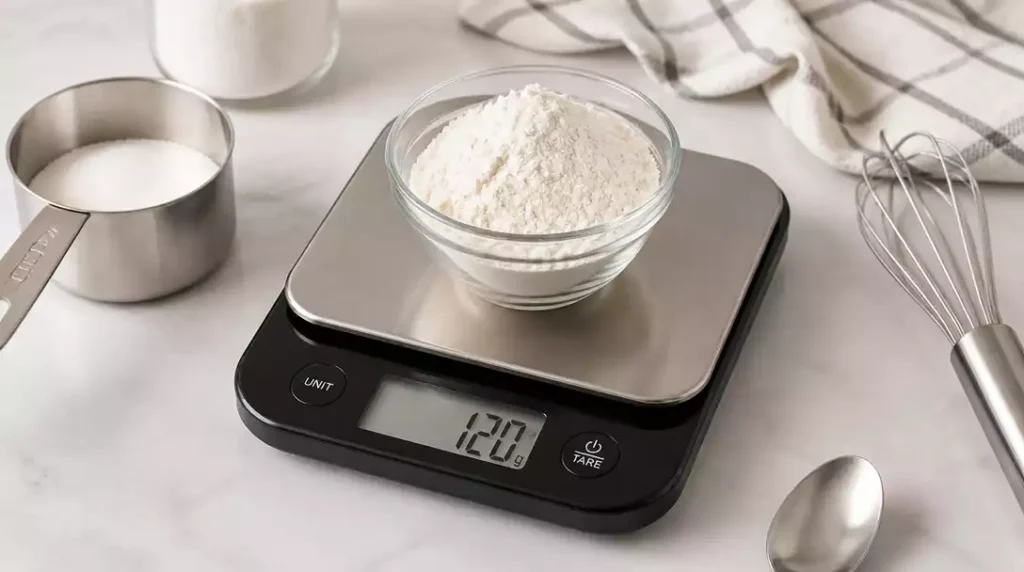
Have you ever been in the middle of a recipe, only to find your scale isn’t working properly? Understanding your food scale’s functionality can save you time and frustration in the kitchen. Here are some key insights to help you troubleshoot and maintain your scale effectively.
What You Will Learn
- Common symptoms of scale issues include not turning on, inconsistent readings, and display glitches.
- Mechanical scales may suffer from misalignment or spring fatigue, while digital scales often face battery or electronic issues.
- Essential maintenance steps include checking battery connections, calibrating regularly, and utilizing the tare function.
- Routine care, such as cleaning and storing your scale properly, can prevent future problems and extend its lifespan.
- Consulting the user manual and checking for firmware updates can enhance your scale’s performance.
Common Food Scale Issues You Might Encounter
If you’re using a food scale and it doesn’t seem to be functioning correctly, you’re not alone! Many users face issues that can be frustrating and confusing. Common symptoms of scale problems include the scale not turning on, displaying incorrect weights, or showing glitches on the screen.
It’s essential to be aware of these symptoms so you can troubleshoot effectively. A scale that won’t turn on could indicate a dead battery, while inconsistent readings might signal a need for recalibration or maintenance. Let’s dive into recognizing these signs.
Recognizing Symptoms: Is Your Food Scale Not Working?
- The scale fails to power on at all.
- It shows fluctuating or illogical weight readings.
- The display glitches or freezes.
- Buttons don’t respond appropriately.
These symptoms can vary in severity, but they all indicate that something isn’t quite right. I always recommend checking the basics first—like ensuring the scale has fresh batteries and is on a stable surface.
Mechanical vs. Digital Food Scales: Identifying Their Limitations
When it comes to food scales, understanding the differences between mechanical and digital models is crucial in identifying their limitations. Mechanical scales often rely on springs and can be affected by physical damage or miscalibration over time.

Digital food scales, on the other hand, can encounter their issues, frequently related to electronics or battery connections. Let’s break down some typical problems for each type:
- Mechanical Scales: Misalignment, spring fatigue, or physical damage.
- Digital Scales: Battery issues, electronics malfunctions, or improper calibration.
Understanding these limitations can help you pinpoint the root of the problem more efficiently. Remember, whether you’re troubleshooting a mechanical or digital scale, a bit of patience and a systematic approach can lead to a quick fix!
Interactive Poll: Share Your Thoughts!
Have you ever encountered issues with your food scale? If so, what was the most common problem you faced? Let us know your experience:
Summarizing Essential Steps for a Functional Food Scale
As we wrap up our discussion, it’s important to recap the essential steps to troubleshoot and maintain your food scale. From identifying common issues to implementing quick fixes, having a clear understanding can save you time and frustration. Remember, a well-functioning scale is crucial for accurate measurements in your culinary adventures!
- Check battery connections and replace batteries as needed.
- Clean battery contacts for ensure connectivity.
- Regularly calibrate your scale for accurate readings.
- Utilize the tare function to avoid measurement errors.
- Maintain a stable surface for optimal performance.
These essential steps will help keep your food scale in top condition. Trust me, taking these measures can make a significant difference in your cooking and baking outcomes!
Encouraging Ongoing Maintenance and Care for Your Food Scale
Taking care of your food scale doesn’t end with troubleshooting. To prevent future issues, it’s wise to incorporate routine maintenance practices. Regular cleaning, avoiding rust, and storing your scale properly are key to ensuring its longevity and functionality.
- Wipe your scale with a damp cloth after each use.
- Store it in a dry place, away from moisture.
- Inspect for rust or corrosion, especially around the battery compartment.
- Handle it gently to avoid bumps and drops.
By following these maintenance tips, you can ensure that your food scale will serve you well for years to come. It’s all about being proactive!
Importance of User Manuals and Firmware Updates
One of the most overlooked aspects of food scale maintenance is consulting the user manual. This resource often contains vital information on troubleshooting, usage tips, and specific features of your model. Additionally, many digital scales offer firmware updates that enhance performance and introduce new functionalities.
- Read the user manual to familiarize yourself with your scale.
- Check for firmware updates online regularly.
- Follow the manufacturer’s instructions for updates to prevent issues.
By staying informed and up-to-date, you can maximize your scale’s performance. I always recommend checking the manual to get the most out of any device!
Frequently Asked Questions (FAQs)
- Q: My food scale isn’t turning on. What should I do?
- A: First, check the batteries. Ensure they are correctly inserted and have enough charge. If it’s a digital scale, try replacing them with new ones. Also, check for any loose battery connections or corrosion on the terminals.
- Q: Why are my food scale readings inconsistent?
- A: Inconsistent readings often indicate a need for calibration. Make sure your scale is on a flat, stable surface. For digital scales, refer to your user manual for calibration instructions. For mechanical scales, check for any physical obstructions or misalignment.
- Q: How often should I calibrate my food scale?
- A: The frequency of calibration depends on how often you use your scale and its type. For most digital food scales, calibrating every few months or whenever you notice inconsistent readings is a good practice. Always refer to your scale’s user manual for specific recommendations.
- Q: Can I use the tare function to fix inaccurate readings?
- A: The tare function is used to zero out the weight of a container, not to fix inaccurate readings of the scale itself. While it ensures only the ingredients are weighed, it won’t correct underlying issues like a need for calibration or battery problems.
- Q: What’s the best way to clean my food scale?
- A: For most food scales, wiping them down with a damp cloth after each use is sufficient. Avoid submerging electronic scales in water. For mechanical scales, ensure no food particles are trapped in the moving parts. Always make sure the scale is completely dry before storing it.
Next Steps: Engage with Our Community for More Tips
We love hearing from our readers! If you’ve had experiences with your food scale, whether good or bad, share them in the comments section. Your tips and questions not only help you but also assist others in our community looking for guidance. Let’s exchange ideas and create a space where we can all learn together!
Recap of Key Points
Here is a quick recap of the important points discussed in the article:
- Check for basic issues such as battery connections and ensure the scale is on a stable surface.
- Understand the differences between mechanical and digital scales to identify their specific limitations.
- Regularly calibrate your scale and utilize the tare function for more accurate measurements.
- Incorporate routine maintenance like cleaning and proper storage to extend the lifespan of your scale.
- Consult the user manual for troubleshooting tips and stay updated with firmware enhancements for digital scales.





