
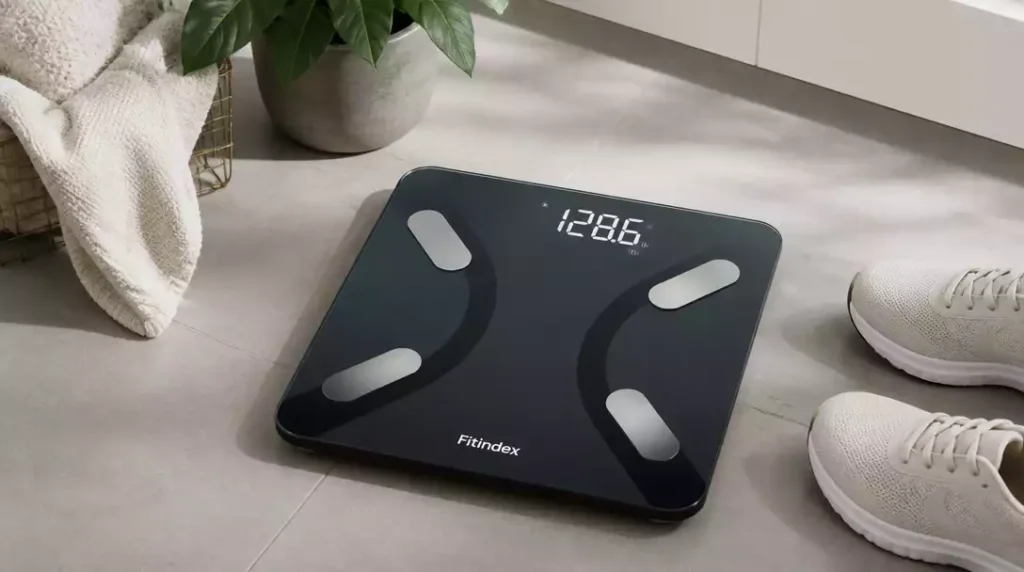
Did you know that tracking your health metrics can significantly enhance your fitness journey? The FitIndex Scale offers more than just weight measurement; it provides a comprehensive view of your body composition, empowering you to make informed health decisions.
What You Will Learn
- The FitIndex Scale measures multiple body composition metrics, including weight, body fat percentage, and muscle mass.
- It allows the creation of multiple user profiles, making it ideal for families or shared living spaces.
- The scale syncs seamlessly with the FitIndex app, providing real-time updates on health metrics.
- Regularly syncing the scale with your app ensures the most accurate data for tracking progress.
- Understanding body composition metrics helps focus on overall health, rather than just weight loss.
- The FitIndex app features a health dashboard that visualizes your progress over time, enabling better fitness adjustments.
- Engaging with the FitIndex community can provide support and motivation throughout your health journey.
FitIndex Scale and Its Features
The FitIndex Smart Body Weight Scale is a powerful tool designed to help you track your health and fitness journey with precision. It doesn’t just measure your weight; it offers a comprehensive overview of your body composition. This means you can keep an eye on not only your weight, but also various health metrics that matter!
Having used the FitIndex scale myself, I can attest to its user-friendly design and advanced technology. With its easy-to-read display and smooth connectivity with the FitIndex app, it makes monitoring your health metrics a breeze. Let’s dive deeper into what the FitIndex Scale is all about!
What is the FitIndex Scale?
The FitIndex Scale is more than just a simple weighing scale; it’s a smart device that connects with your smartphone to provide a detailed picture of your body composition. This scale calculates various metrics, including weight, body fat percentage, muscle mass, and more. With this data at your fingertips, you can make informed decisions about your health and fitness.
- Measures multiple body composition metrics
- Connects seamlessly with the FitIndex app
- Offers user-friendly features for easy tracking
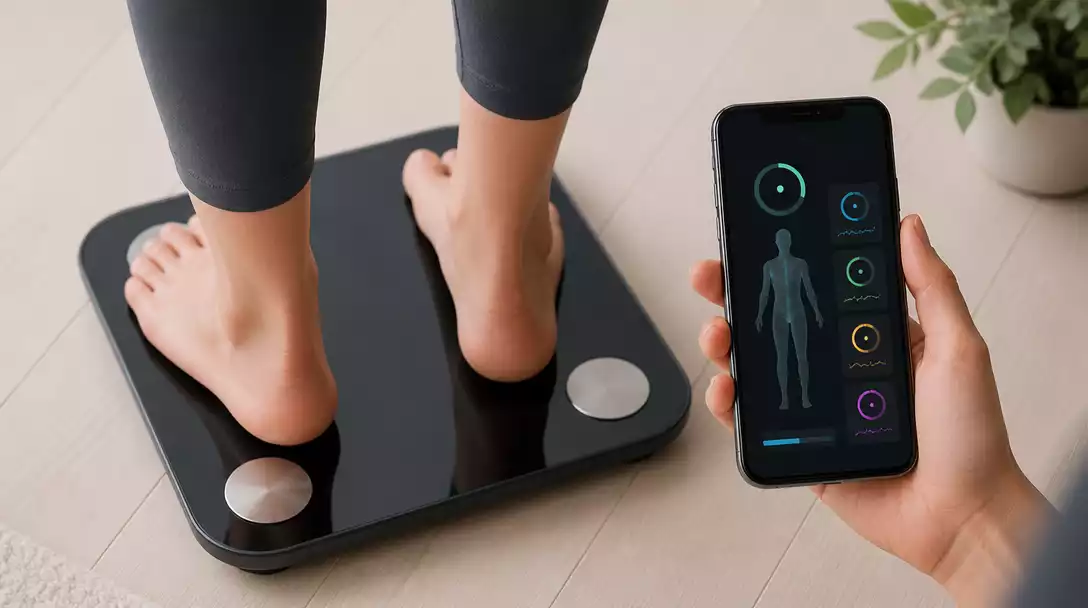
This smart scale can sync with your smartphone via Bluetooth or Wi-Fi, making it super convenient to keep track of your progress over time. Plus, with the ability to store data for multiple users, it’s perfect for families or shared living situations! If you’re looking for guidance on how to connect various smart scales, you might find our guide on how to connect a smart scale helpful.
Key Features of FitIndex Smart Body Weight Scale
Here are some standout features that make the FitIndex Smart Scale a must-have for anyone looking to monitor their health:
- Body Composition Analysis: Get insights into your body fat, muscle mass, and BMI.
- Multiple User Profiles: Supports up to 8 users, perfect for families!
- App Integration: Syncs effortlessly with the FitIndex app to track your progress.
- Real-Time Sync: Updates your metrics instantly after each weigh-in.
As a tool for motivation, seeing your progress can inspire you to stay on track with your health goals. I find it particularly helpful to review the data over time, noticing trends and adjusting my fitness routines as needed!
Exploring Body Composition Metrics: Weight, Body Fat, and More
One of the most valuable aspects of the FitIndex Scale is its ability to provide a range of body composition metrics. Here’s a breakdown of what you can expect:
- Weight: The basic measure, crucial for tracking changes.
- Body Fat Percentage: Helps assess your overall body fat relative to your weight.
- Muscle Mass: Indicates the weight of your muscles, helping you understand muscle gain or loss.
- BMI: A calculated figure that indicates whether you’re in a healthy weight range.
Using these metrics, you can get a clearer picture of your overall health. It’s not just about losing weight; it’s about achieving a balanced body composition. Trust me, when I first started using these metrics, it completely changed how I approached my fitness journey!
Pro Tip
To get the most out of your FitIndex Scale, try to establish a routine. Weigh yourself at the same time each day under similar conditions, such as after waking up and before breakfast. This consistency can help you track your progress more accurately and understand your body’s fluctuations better!
Wrapping Up Your FitIndex Scale Experience
As we conclude our journey with the FitIndex Scale, it’s time to recap the essential steps for pairing and troubleshooting. Following these steps will ensure that you get the most out of your scale’s features, making your health journey a bit more manageable and enjoyable!
In summary, we covered how to download the FitIndex app, check device compatibility, and set up your Bluetooth or Wi-Fi connections. If you hit any bumps along the way, don’t worry! Our troubleshooting section has your back with solutions for common issues. For a deeper dive into initial setup, consider reading our post on how to pair a smart scale.
Recap of Pairing and Troubleshooting Steps
- Download the FitIndex app from the App Store or Google Play.
- Ensure your device is compatible and meets Bluetooth requirements.
- Connect your scale via Bluetooth or Wi-Fi as needed.
- Troubleshoot any connection issues with tips provided.
By following these steps, you’ll set yourself up for a seamless experience with your FitIndex Scale. Remember, it’s all about maintaining a connection with your health metrics!
Final Tips for Maximizing Your FitIndex Scale
- Regularly sync your scale with the app for the most accurate data.
- Set personal health goals within the app to stay motivated.
- Keep the scale on a stable, flat surface for consistent readings.
- Take measurements at the same time each day for better tracking.
These tips will help you maximize the benefits of your FitIndex Scale. Consistency is key, and it’s not just about the numbers; it’s about your overall health journey!
Understanding Your Measurement History and Health Dashboard
The FitIndex app offers a comprehensive health dashboard where you can track your progress over time. You’ll see a detailed history of your weight, body fat percentage, and other metrics. This visual representation allows you to easily spot trends and adjustments needed in your fitness regimen.
Don’t forget to celebrate your milestones along the way! Whether it’s a small weight loss or achieving a new fitness goal, acknowledging your progress is an important part of staying motivated. If you ever question the accuracy of your readings, learning how to know if a scale is wrong can be very useful.
Engage and Share Your Experience
Join the FitIndex Community for Support and Tips
Connecting with others who use the FitIndex Scale can enrich your experience. Join our community to share tips, ask questions, and gain support from fellow users. It’s a great way to stay motivated and inspired!
Share Your Feedback and Success Stories
Your journey matters! We’d love to hear about your experiences with the FitIndex Scale. Share your success stories and any feedback you have. Your insights help us improve and create a supportive environment for everyone!
Frequently Asked Questions (FAQs)
- What metrics does the FitIndex Scale measure?
The FitIndex Scale measures various body composition metrics, including weight, body fat percentage, muscle mass, and BMI. - Can multiple people use one FitIndex Scale?
Yes, the FitIndex Smart Body Weight Scale supports up to 8 user profiles, making it ideal for families or shared living situations. - How does the FitIndex Scale connect to my smartphone?
The scale connects seamlessly with the FitIndex app via Bluetooth or Wi-Fi to sync your health data in real-time. - How can I ensure accurate readings from my FitIndex Scale?
For the most accurate data, weigh yourself at the same time each day under similar conditions, such as after waking up and before breakfast, and ensure the scale is on a stable, flat surface. - What if I encounter connection issues with my FitIndex Scale?
Ensure the FitIndex app is downloaded, your device is compatible, and Bluetooth or Wi-Fi is enabled. The app also provides troubleshooting tips for common connection problems.
Recap of Key Points
Here is a quick recap of the important points discussed in the article:
- The FitIndex Smart Body Weight Scale tracks multiple body composition metrics, including weight, body fat percentage, and muscle mass.
- It connects seamlessly with the FitIndex app for convenient tracking and analysis.
- The scale supports multiple user profiles, making it ideal for families.
- Regular syncing with the app and taking measurements at the same time each day enhances tracking accuracy.
- Utilizing the health dashboard helps visualize progress and trends over time.





