
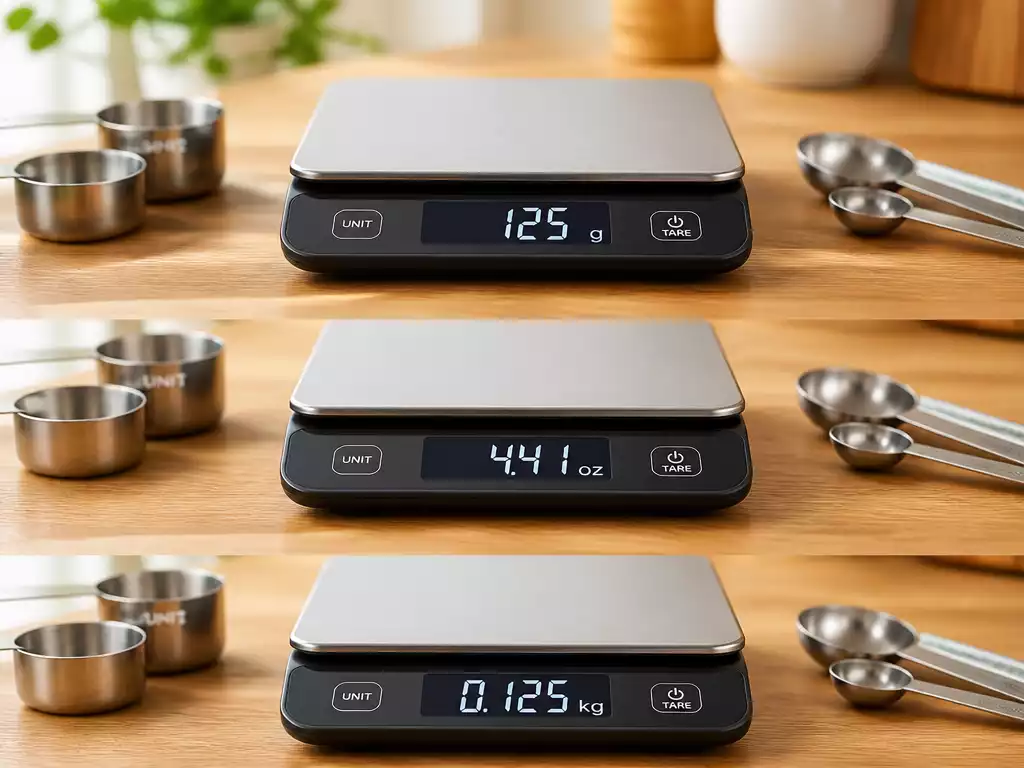
When it comes to accurate weight management, the right unit of measurement can make all the difference. By understanding how to change units on your scale, you empower yourself to track your health journey more effectively.
What You Will Learn
- Identifying your scale model is essential for accurate unit adjustments.
- Different weight units serve various regions and purposes, influencing tracking preferences.
- Understanding measurement conversion helps maintain clarity in your weight journey.
- Regularly adjusting unit settings ensures precise tracking and motivation for health goals.
- Exploring your scale’s features can enhance tracking efficiency and accuracy.
Understanding How to Change Units on a Scale
When it comes to getting accurate measurements, understanding how to change units on your scale is essential. Before adjusting any settings, it’s important to identify your specific scale model. Many users have scales from popular brands like Withings, Eufy, and Fitbit. Each brand can have its unique method for changing units, so knowing your model helps avoid confusion.
If you’ve ever felt frustrated by a scale that seems stuck in one unit, trust me, you’re not alone! Identifying your scale and its features can enhance your overall experience and ensure you get the most precise readings.
Why Knowing Your Scale Model Matters
Every scale model comes with its own user manual and features, making it crucial to familiarize yourself with the specifics. For instance, some scales may have a dedicated button for unit changes, while others might require you to navigate through an app. By knowing your scale model, you can easily find the right instructions to switch units without any hassle.
- Brand familiarity: Each brand has unique features.
- Specific instructions: Manuals provide tailored steps for changing units.
- Problem-solving: Knowing your model helps troubleshoot issues.
Understanding your model not only saves time, but it also minimizes the frustration of unit confusion. Whether you prefer kilograms or pounds, having this knowledge empowers you to make informed decisions about your weight tracking.

Common Weight Units and Their Uses
When discussing weight, you’ll encounter several units, including kilograms, pounds, stones, and ounces. Each unit has its own context and preferred use cases. For instance, many of us in the United States are accustomed to pounds, while kilograms are the standard in most other countries.
- Kilograms: Commonly used in most of the world.
- Pounds: Predominantly used in the United States.
- Stones: Often used in the UK for body weight.
- Ounces: Generally used for smaller measurements.
Choosing the right unit can depend on personal preference or regional standards. It’s beneficial to know which unit feels most comfortable for you, as this can significantly impact your weight tracking journey.
Understanding Measurement Conversion and its Importance
Measurement conversion is a fundamental aspect of weight tracking. As you explore different units, understanding how to convert between them becomes essential. For example, if you’re more comfortable with kilograms, but your scale is set to pounds, the difference can lead to confusion and inaccurate records.
In addition, consistent tracking across different units ensures you maintain a clear picture of your weight journey. This clarity can motivate you to reach your targets more effectively.
Quick Summary
Here’s a brief recap of the key points discussed so far:
- Identifying your scale model is crucial for accurate unit changes.
- Understanding common weight units helps in choosing the right one for your needs.
- Measurement conversion is important for maintaining clarity in your weight tracking journey.
Frequently Asked Questions About Scale Units
- Q: Why is it important to know my scale model?
- A: Knowing your scale model is crucial because different brands and models (e.g., Withings, Eufy, Fitbit) have unique methods for changing units, either via dedicated buttons or through apps. This knowledge helps you find specific instructions and troubleshoot effectively.
- Q: What are the common weight units mentioned in the article?
- A: The common weight units discussed are kilograms (used in most of the world), pounds (predominantly used in the United States), stones (often used in the UK for body weight), and ounces (generally used for smaller measurements).
- Q: How does understanding measurement conversion help in weight tracking?
- A: Understanding measurement conversion is essential for consistent tracking. It helps avoid confusion and ensures accurate records if your scale is set to a unit different from your preferred one. This clarity can motivate you to reach your targets more effectively.
- Q: What are the benefits of regularly adjusting unit settings on my scale?
- A: Regularly adjusting unit settings ensures precise tracking, meets individual user preferences, helps avoid confusion when comparing data, and can significantly enhance your motivation and clarity in your weight journey.
- Q: Besides changing units, what else should I do to get the most out of my scale?
- A: To maximize your scale’s benefits, explore all its features, such as syncing with an app, and utilize troubleshooting tips if units revert or if you encounter syncing problems. Ensuring unit settings align with your personal preferences is key for accurate and effective weight tracking.
Summarizing the Importance of Unit Changes on Scales
Understanding how to change units on your scale is crucial for accurate weight tracking. Each user may have different preferences, and being able to adjust your scale to reflect those preferences ensures you get the most reliable measurements. Whether you’re using a Withings, Eufy, or Fitbit scale, knowing how to customize your settings can make a significant difference in your health journey.
Moreover, accurate weight measurement can help you stay motivated and keep track of your progress effectively. If your scale isn’t set to your preferred unit, it could lead to confusion and discrepancies in your data. That’s why a firm grasp of how to switch between units is essential!
- Ensures accurate tracking over time
- Meets individual user preferences
- Helps avoid confusion when comparing data
In summary, taking the time to understand and implement unit changes on your scale can greatly enhance your experience and data accuracy. Don’t underestimate the impact that small adjustments can have on your overall health tracking!
Get the Most Out of Your Scale
Now that you know the importance of adjusting your scale’s units, it’s time to dive deeper into all the features your scale has to offer. I encourage you to explore your scale’s functionalities, whether it’s syncing with an app or customizing settings for more precise measurements. Remember, your scale is a tool to help you achieve your health goals, so use it wisely!
Also, don’t forget to refer back to the troubleshooting tips we’ve covered when you run into issues. If your units accidentally revert or if you encounter syncing problems, these strategies will save you time and frustration. Make sure your unit settings align with your personal preferences to keep your weight tracking on point!
- Explore all features of your scale
- Utilize troubleshooting tips for smooth operation
- Ensure unit settings match your preferences
By staying proactive and informed, you’ll maximize the benefits your scale can provide. Happy tracking!
Recap of Key Points
Here is a quick recap of the important points discussed in the article:
- Identify your scale model for accurate unit change instructions.
- Familiarize yourself with common weight units: kilograms, pounds, stones, and ounces.
- Understand the importance of measurement conversion for consistent tracking.
- Accurate unit settings enhance motivation and clarity in your weight journey.
- Explore all features of your scale for optimal health tracking.





