
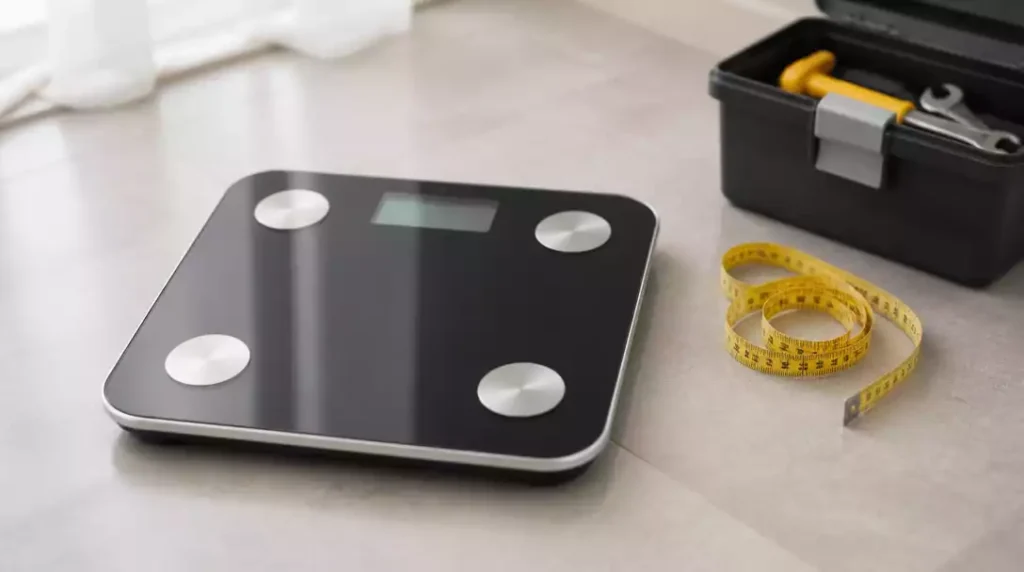
Have you ever stood on your scale, only to be met with a confusing array of numbers? You’re not alone. Understanding how and when to reset your scale can significantly improve your weight management journey and ensure you have accurate data at your fingertips.
What You Will Learn
- Recognize when your scale needs a reset due to inconsistent readings or error messages.
- Identify different types of scales and understand their specific reset procedures.
- Learn effective methods for resetting scales, including using reset buttons and battery management.
- Implement regular maintenance practices to prolong your scale’s lifespan and accuracy.
Reset Your Scale: Knowing When and Why
There are times when you might find your scale isn’t performing as expected. Inaccurate readings can lead to frustration, and it’s vital to know when to hit the reset button. Common reasons for needing to reset your scale include changes in battery, movement to a different surface, or simply the scale being used too often without a reset. Recognizing the signs can save you time and hassle!

Another reason you might need to reset your scale is if it has suddenly stopped working or displays error messages. These issues can often be resolved through a simple reset process, allowing you to continue tracking your weight accurately.
When to Hit the Reset Button
Let’s explore a few scenarios where resetting your scale is necessary:
- Your scale shows significantly different weight readings over consecutive uses.
- You recently moved your scale to a new location that may not be completely flat.
- The battery has been replaced, but the readings remain inconsistent.
- Error codes appear on the display, indicating a malfunction.
By understanding these triggers, you can maintain better control over your weight management journey. Regular resets can help ensure your scale reflects true measurements, helping you stay on track!
Different Scales and Their Reset Procedures
Scales come in various forms, each with unique reset needs. For instance, digital bathroom scales, smart scales, and kitchen scales may all require different resetting techniques. Knowing the type of scale you have will guide you in maintaining its accuracy and performance.
Digital bathroom scales are often straightforward, while smart scales may need more intricate procedures to reset due to their connectivity features. Kitchen scales, on the other hand, might simply require a quick calibration adjustment. Let’s break down each type!
Types of Scales and What They Need
- Digital Bathroom Scales: Typically require a reset button press or battery change. If you need a more detailed guide, learn how to reset a bathroom scale for optimal performance.
- Smart Scales: Often need factory reset processes, including app interactions.
- Kitchen Scales: Generally just need calibration, which may vary by model.
Understanding these differences can help you effectively manage your scales. Remember, the key to accurate readings lies in knowing your scale’s specific requirements!
Pro Tip
Did you know? Regularly checking the calibration of your scale can significantly enhance its accuracy. Aim to perform a calibration check every few months or whenever you notice discrepancies in weight readings. This simple action can help maintain the reliability of your measurements!
Key Takeaways on Resetting Your Scale
Resetting your scale can seem daunting, but it is essential for maintaining its accuracy and functionality. Calibration plays a key role in ensuring your scale provides reliable readings, whether you’re trying to track your weight or cook with precision. Regular resets can help address any discrepancies and keep your scale functioning properly.
To summarize, here are the primary methods for resetting scales:
- Using the reset button for digital and smart scales. For comprehensive instructions, check out our guide on how to reset a digital scale.
- Removing and reinstalling batteries.
- Calibrating your scale according to the manufacturer’s instructions.
- Performing factory resets for smart scales.
By following these methods, you’ll ensure your scale remains an accurate tool for your needs!
Final Thoughts on Maintaining Your Scale
Regular maintenance is crucial for the longevity and accuracy of your scale. I recommend checking the calibration every few months, especially if you notice any inconsistencies in the readings. A well-maintained scale not only improves accuracy but also enhances your confidence in the data it provides.
Here are some quick tips for maintaining your scale:
- Keep it on a flat, stable surface to ensure precise readings.
- Avoid placing heavy objects on it unnecessarily.
- Regularly check for battery life and replace when needed.
By taking these simple steps, you can ensure that your scale remains accurate and effective for years to come!
Engage with Your Scale’s Resetting Process
Frequently Asked Questions About Scale Resets
Many users have questions about resetting their scales, and I’m here to help! Common queries include “How can I reset a digital bathroom scale?” and “Why is my scale not zeroing?” Understanding these issues can help demystify the resetting process.
FAQs
- When should I reset my scale?
You should reset your scale if you notice inconsistent readings, after replacing batteries, when moving it to a new surface, or if it displays error messages. - How do I reset a digital bathroom scale?
Typically, you can reset a digital bathroom scale by pressing a designated reset button or by removing and reinserting the batteries. - What is calibration and why is it important?
Calibration is the process of adjusting your scale to ensure its accuracy. It’s important because it maintains the reliability of your weight measurements. - Do smart scales reset differently from digital scales?
Yes, smart scales often require a factory reset process that may involve interactions with a companion app, in addition to physical reset buttons or battery removal. - What should I do if my scale isn’t zeroing properly?
If your scale isn’t zeroing, ensure it is on a flat, stable surface and check for any obstructions. A reset or recalibration might also be necessary.
These insights should help clear up confusion and make the resetting process smoother!
Next Steps: Troubleshooting and Support Resources
If you continue to face issues with your scale, don’t hesitate to reach out for support. Manufacturer support can provide invaluable assistance, and they often have troubleshooting resources available. Consult your scale’s manual for warranty information and details on service centers. If you’re encountering issues with a specific brand, you might find our article on how to fix a Taylor digital scale helpful.
Here’s a simple checklist of next steps:
- Check the manufacturer’s website for troubleshooting guides.
- Contact customer support for direct assistance.
- Refer to your user manual for specific instructions.
Taking these steps can help ensure that you get your scale back to its optimal performance!
Recap of Key Points
Here is a quick recap of the important points discussed in the article:
- Reset your scale if you notice significantly different readings over consecutive uses.
- Ensure your scale is on a flat surface, especially after moving it.
- Regularly check and replace batteries to avoid inconsistent readings.
- Follow specific reset procedures for different types of scales (digital, smart, kitchen).
- Perform regular calibrations to maintain accuracy.
- Consult your scale’s manual for troubleshooting and support resources if issues persist.





