
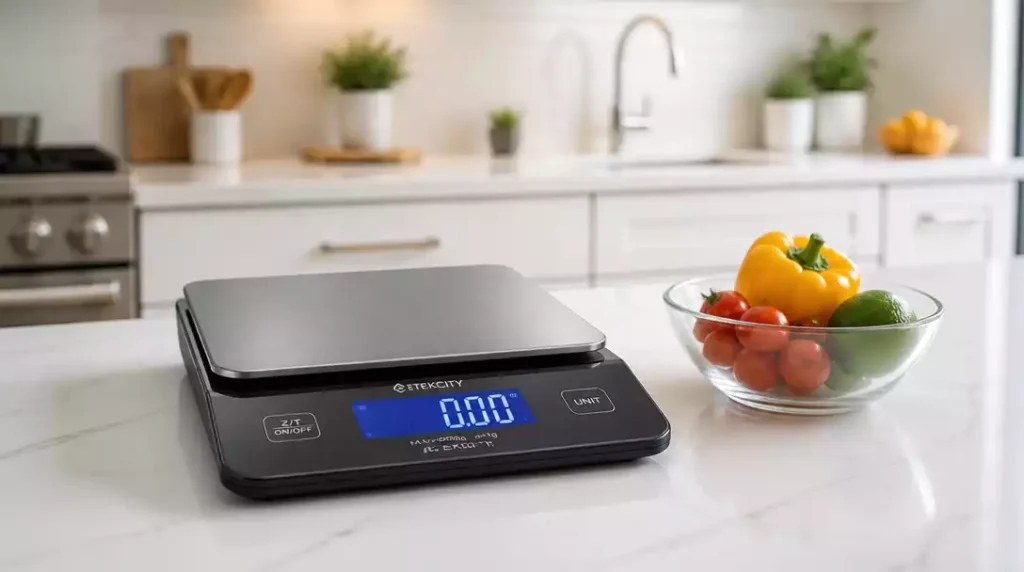
Resetting your food scale is more than just a simple task; it’s a crucial step to achieving culinary precision in your kitchen. Have you ever wondered why the tare function is so important for accurate measurements? Let’s explore the essential insights you’ll gain about effectively using your food scale.
What You Will Learn
- Understanding the key functions of a food scale: tare, zero, and factory reset.
- The importance of using the tare function for accurate ingredient measurements.
- Different types of food scales and how to select the best one for your cooking needs.
- Practical steps to reset your scale for optimal performance.
- When to seek help for persistent issues with your food scale.
Understanding Your Food Scale: The Basics of Resetting
Resetting a food scale is essential for ensuring that you get accurate measurements in your cooking and baking. It might sound simple, but many people are unsure about the different options available when it comes to resetting their scales. Whether you’re a seasoned chef or a home cook, knowing how to properly reset your scale can be the difference between a perfect dish and a culinary disaster!

In this section, we’ll delve into what resetting a food scale truly means, the importance of taring, and how to choose the right scale for your kitchen needs. Let’s get started!
What Does Resetting a Food Scale Mean?
When we talk about resetting a food scale, we’re often referring to three key functions: tare, zero, and factory reset. Each of these plays a pivotal role in how accurately your food scale measures ingredients.
- Tare: This function allows you to subtract the weight of the container holding your ingredients, ensuring that you’re measuring just the food itself.
- Zero: This is similar to tare but can be used in situations where you want to measure multiple ingredients in the same container.
- Factory Reset: This reset returns your scale to its original settings, which can be helpful if you’re experiencing persistent issues.
Understanding these terms will help you navigate your scale more effectively, allowing you to achieve precise measurements every time!
Clarifying the Terms: Tare, Zero, and Factory Reset
Each of these terms has a specific purpose. The tare function is crucial for accurate ingredient measurement. For example, if you’re baking a cake, you wouldn’t want the weight of the mixing bowl to skew your measurements! The zero function can aid in adding multiple ingredients sequentially.
Factory reset should be your go-to option if the scale behaves erratically. It’s a straightforward process that can often resolve glitches that might arise from extended use or accidental button presses.
The Importance of Taring Your Scale
Taring your scale is not just a helpful feature; it’s a necessity for precision in your cooking endeavors. If you want to ensure that every ingredient is measured correctly, the tare function is your best friend!
- It eliminates the weight of any containers.
- It helps maintain clean measurements when combining different ingredients.
- Taring allows for more efficient cooking and reduces cleanup time!
By mastering the tare function, you’ll enhance your culinary skills and improve the consistency of your recipes.
Why Taring is Essential for Accurate Measurements
Accurate measurements are crucial in both baking and cooking. A simple miscalculation can lead to disastrous results! Whether you’re measuring flour for a cake or spices for a stew, using the tare function ensures that you don’t have any extra weight from containers influencing your results.
Additionally, taring can save you time and effort. Instead of using separate bowls and containers, you can measure ingredients directly in the same bowl by simply resetting the scale with the tare function. This approach is not only efficient but also minimizes the number of dishes to wash afterwards!
Different Types of Scales: Choosing the Right Food Scale for Your Needs
When it comes to food scales, different types offer various features that cater to diverse cooking styles. Choosing the right scale can enhance your cooking experience and efficiency.
- Digital Scales: These are popular for their precision and ease of use. They usually come with a tare function and a clear display. If you’re looking for detailed guidance on how to set up and use a digital scale, check out our guide on how to reset a digital scale.
- Mechanical Scales: While less common today, they are reliable and don’t require batteries!
- Smart Scales: These connect to your smartphone and provide additional features like nutritional information.
Each type of scale has its own advantages, so think about what features matter most to you. A digital scale might be perfect for a tech-savvy cook, while a mechanical scale could suit someone who prefers simplicity.
Exploring Digital, Mechanical, and Smart Scales
Digital scales are often user-friendly and provide quick feedback. They’re perfect for those who measure ingredients frequently. On the other hand, mechanical scales are great for those who want a more traditional option that doesn’t rely on batteries.
If you’re tech-oriented, a smart scale may be the best fit! These scales offer advanced features that can assist you with meal planning and tracking nutritional information, all from your phone. Consider your cooking habits and preferences when selecting the right scale to meet your needs!
Pro Tip
Did you know? Regularly calibrating your food scale can significantly enhance its accuracy. To do this, simply use a known weight (like a bag of sugar or flour) and check the scale’s reading. If there’s a discrepancy, refer to your scale’s manual for calibration instructions. This small step can help prevent measurement errors and improve your cooking results!
Summarizing the Resetting Process for Your Food Scale
Resetting your food scale is a straightforward process that ensures you get accurate measurements for your cooking and baking needs. Let’s recap the key steps you should follow to reset and tare your scale effectively:
- Position your scale on a flat, stable surface.
- Ensure the scale is powered on and functioning properly.
- Use the tare function to zero out the scale before weighing ingredients.
- If you encounter errors, follow the reset procedure specific to your scale type.
By following these steps, you’ll maintain accuracy in your measurements, which is crucial for perfecting your recipes! Remember, a well-set scale is your best friend in the kitchen. For a comprehensive overview of general scale resetting, consult our guide on how to reset a scale.
When to Seek Further Assistance
Sometimes, even after following the resetting steps, your scale may still not function correctly. In these cases, it’s important to recognize when to seek help. Here are some indicators that it might be time to consult support:
- Your scale consistently displays inaccurate readings.
- The tare function doesn’t work as expected.
- The scale won’t turn on, even with a new battery.
- There are persistent error messages that you can’t resolve on your own.
If you identify any of these issues, don’t hesitate to reach out for support. Whether it’s contacting customer service or looking for online resources, getting assistance can save you time and frustration in the kitchen!
Engaging with Your Food Scale: FAQs and Additional Resources
Frequently Asked Questions About Food Scale Operations
We often receive questions about how to effectively use food scales. Here are some common inquiries that might help you feel more confident:
- How often should I calibrate my scale?
- Can I use my scale for liquids as well as solids?
- What should I do if my scale is giving inconsistent readings?
These FAQs can guide you in your food scale journey, ensuring you make the most of this essential kitchen tool!
FAQs About Food Scale Resetting
- Q: What is the main difference between “tare” and “zero” functions?
- A: The “tare” function is used to subtract the weight of a container, effectively setting the scale to zero with the container on it so you only measure the ingredients. The “zero” function is similar but often used to reset the scale to zero when nothing is on it, or to incrementally measure multiple ingredients in the same bowl without removing previous ones.
- Q: How often should I perform a factory reset on my food scale?
- A: A factory reset should only be performed if you are experiencing persistent issues with your scale, such as erratic readings or unresponsive buttons, that cannot be resolved by simply turning it off and on or by using the tare/zero functions. It’s not a routine maintenance step.
- Q: Can I use a food scale to measure liquids?
- A: Yes, you can use a food scale to measure liquids by weight, provided you know the density of the liquid (e.g., water is 1 gram per milliliter). Use the tare function to zero out the container, then add the liquid. This can be more accurate than volume measurements for certain recipes.
- Q: What should I do if my digital food scale displays an error message?
- A: First, try replacing the batteries. If the error persists, consult your scale’s user manual for specific troubleshooting steps related to the error code. If you no longer have the manual, check the manufacturer’s website. A factory reset might also resolve the issue.
- Q: Is it necessary to calibrate my food scale regularly?
- A: While not always necessary for casual home cooking, regular calibration (e.g., every few months or if you suspect inaccuracies) can significantly improve your scale’s precision, especially if you rely on it for critical measurements in baking or dietary tracking. Refer to your scale’s manual for calibration instructions.
Resources for Brand-Specific Troubleshooting and User Manuals
If you find yourself needing specific help with your food scale brand, there are plenty of resources available. Here’s where you can look:
- Visit the manufacturer’s website for user manuals.
- Check out online forums dedicated to kitchen gadgets.
- Search for videos on platforms like YouTube for visual guides.
Where to Find Helpful Guides and Video Tutorials
Video tutorials can be especially helpful for visual learners. YouTube is a fantastic resource where many users share tips and tricks about specific scale brands and models. Just type in your scale’s name followed by “reset” or “troubleshooting” to find relevant content! For more general troubleshooting advice, our article on how to fix a food scale offers valuable insights.
Customer Reviews: What Users Say About Different Scale Brands
Finally, customer reviews can offer insight into various food scale brands. I always recommend checking reviews before making a purchase, as they often highlight practical experiences from other users. You can typically find reviews on:
- Retailer websites like Amazon.
- Dedicated kitchen appliance review blogs.
- Social media platforms where users share their experiences.
These insights can help you choose the right scale that meets your cooking needs. Happy weighing!
Recap of Key Points
Here is a quick recap of the important points discussed in the article:
- Understanding Reset Functions: Familiarize yourself with tare, zero, and factory reset functions for accurate measurements.
- The Importance of Taring: Always use the tare function to eliminate container weight for precise ingredient measurement.
- Choosing the Right Scale: Select between digital, mechanical, or smart scales based on your cooking needs and preferences.
- Resetting Process: Position your scale on a flat surface, power it on, and use the tare function before weighing ingredients.
- Seeking Assistance: Consult support if you notice persistent errors or inaccurate readings from your scale.





