
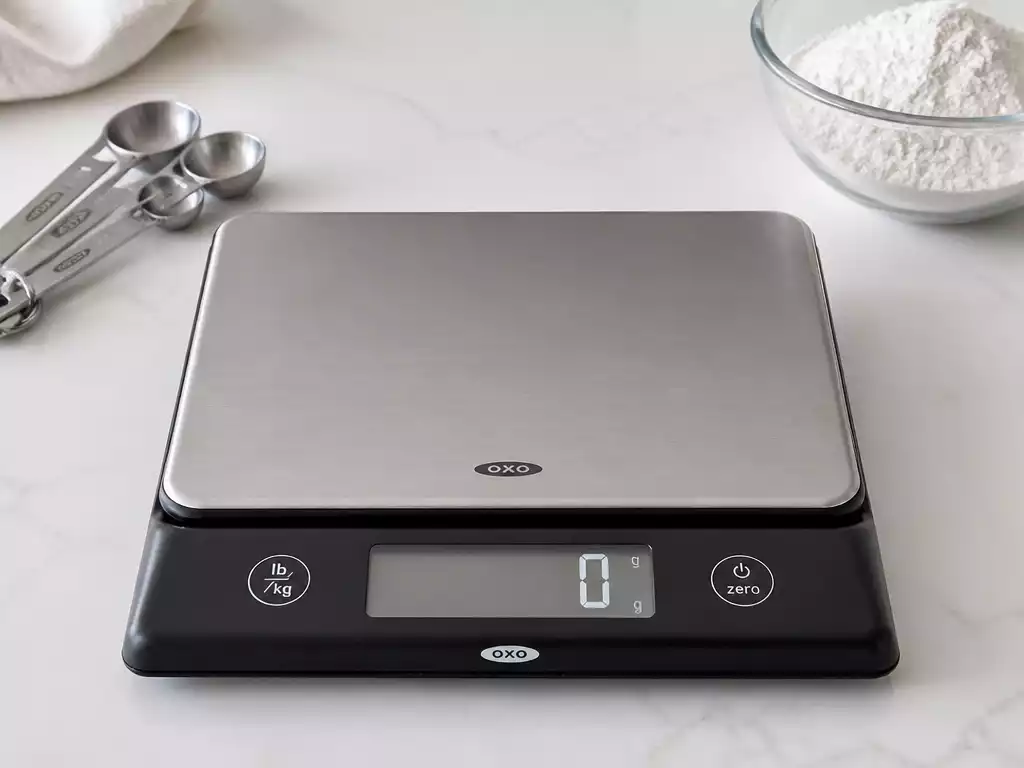
Have you ever wondered how the calibration of your kitchen scale can affect your cooking and baking results? Understanding the compatibility and calibration of your OXO scale is essential for achieving precision in your recipes.
What You Will Learn
- Not all OXO scales support user calibration; check your model for compatibility.
- User calibration allows for customized settings, while factory calibration provides reliability for general use.
- Key features like the Tare Function and load cell technology enhance accuracy and ease of use.
- Recognize when calibration is not an option, such as physical damage or persistent error messages.
- Contacting OXO support can provide solutions to calibration issues when they arise.
- Following best practices for calibration ensures reliable measurements, improving your cooking outcomes.
Understanding OXO Scale Calibration: Is Your Model Compatible?
When it comes to ensuring the accuracy of your OXO scale, calibration plays a crucial role. However, it’s essential to understand that not all OXO models support user calibration. Some scales are designed to be factory-calibrated, while others allow you to make adjustments. Knowing which models can be calibrated is the first step toward achieving precise measurements!
To help you identify the compatible models, here’s a quick overview:
- OXO Good Grips Food Scale
- OXO Good Grips Baking Scale
- OXO Precision Scale
If you own one of these models, you have the flexibility to calibrate them to suit your requirements. If not, don’t worry—most factory settings are accurate enough for typical use, but always double-check if you suspect any discrepancies.
Identifying Models That Support Calibration
As mentioned, the ability to calibrate your scale depends on the specific OXO model you own. Calibration generally involves adjusting the scale to ensure its readings are accurate. Not all OXO scales provide this feature, which is why it’s pivotal to refer to the user manual that came with your scale. Make sure to look for terms like “user calibration” or “manual calibration” to confirm compatibility.
- Check the model number on your scale.
- Consult the OXO website or your user manual for detailed specifications.
- Look for online resources or forums for user advice regarding calibration.
By taking these steps, you can easily determine whether your OXO scale supports calibration, helping you maintain its precision over time. Remember, accurate measurements are key, especially if you love cooking or baking!
Differences Between User Calibration and Factory Calibration
It’s important to differentiate between factory calibration and user calibration. Factory calibration means that the scale was set to specific standards before it left the manufacturer. This process usually involves precise equipment and expert handling to ensure accuracy. If your scale is factory-calibrated, it’s generally quite reliable for daily use.
On the other hand, user calibration allows you to adjust the scale according to your personal preference or specific needs. This is where you can take control! Manual calibration can be particularly useful if you notice discrepancies in weight readings.

Key Features of OXO Digital Scales
OXO digital scales come equipped with several features designed to enhance your experience and improve accuracy in weight measurement. For instance, the Tare Function lets you zero out the weight of containers, making it easy to measure only the contents. This feature is especially helpful when you need to weigh multiple ingredients without needing to do complex math.
- LCD Display: Provides clear and easy-to-read measurements.
- Load Cell Technology: Ensures precise readings by accurately measuring weight distribution.
- Multiple Measurement Units: Switch between grams, ounces, and pounds effortlessly.
These features not only make OXO scales user-friendly but also contribute to maintaining accuracy in your cooking and baking endeavors. The more familiar you become with your scale’s capabilities, the better your results will be!
Pro Tip
Did you know? Regularly checking and calibrating your OXO scale can significantly enhance your cooking accuracy. Even small discrepancies can impact your recipes, especially in baking where precision is key. Make it a habit to calibrate your scale before important cooking sessions to ensure consistently delicious results!
Making Informed Decisions: Calibrate, Replace, or Seek Help?
When it comes to managing your OXO scale, knowing whether to calibrate, replace, or seek assistance can be tricky. Sometimes calibration simply isn’t an option. Recognizing these moments can save you time and frustration. Let’s explore the scenarios where you might need to consider replacing your scale instead of trying to calibrate it.
When Calibration is Not an Option
There are various situations where calibration may not be feasible for your OXO scale. Understanding these factors can help you make a more informed decision about your options.
- If the scale has physical damage, such as cracks or a broken load cell.
- When the scale shows persistent error messages even after attempting calibration.
- If the scale is old and has lost accuracy over time despite being calibrated.
- In cases where the scale won’t turn on, indicating a deeper electrical issue.
In these circumstances, it’s crucial to weigh the benefits of a new scale against the costs of repairs. If you find yourself facing any of these issues, it might be time to consider investing in a replacement instead of continuing with calibration attempts. Remember, while OXO scales are known for their durability, even the best products have their limits!
Contacting Support: When and How to Get Help
If calibration issues persist despite following the steps outlined in previous sections, reaching out to OXO support can be a lifesaver. Here’s how to effectively get in touch:
- Visit the OXO website and navigate to the support section for contact details.
- Have your scale model and purchase information ready for reference.
- Consider using the live chat option for quick responses or call their support hotline for detailed assistance.
It’s essential to communicate any specific issues you’ve encountered, as this will help the support team assist you more effectively. Their expertise can often resolve your problems, leaving you with one less thing to worry about!
Frequently Asked Questions About OXO Scale Calibration
- Q: Can all OXO scales be user-calibrated?
- A: No, not all OXO models support user calibration. Some are factory-calibrated for general use. Refer to your user manual or the OXO website to check compatibility for specific models like the OXO Good Grips Food Scale, OXO Good Grips Baking Scale, and OXO Precision Scale.
- Q: What is the difference between user calibration and factory calibration?
- A: Factory calibration is performed by the manufacturer to specific standards before the scale is sold, ensuring initial accuracy. User calibration allows you to manually adjust the scale’s settings to your personal preferences or to correct minor discrepancies in weight readings.
- Q: When should I consider replacing my OXO scale instead of calibrating it?
- A: You should consider replacing your scale if it has physical damage (e.g., cracks, broken load cell), displays persistent error messages even after calibration attempts, has lost accuracy due to age, or won’t turn on due to an electrical issue.
- Q: How can the Tare Function improve my cooking and baking?
- A: The Tare Function allows you to zero out the weight of any container placed on the scale, enabling you to measure only the ingredients. This simplifies the process of weighing multiple items in the same bowl and helps ensure accurate measurements without complex calculations.
- Q: What should I do if my OXO scale continues to have calibration issues?
- A: If calibration issues persist, it’s best to contact OXO support. Visit their website for contact details, have your scale model and purchase information ready, and clearly explain the issues you’re experiencing. They can offer expert advice or solutions.
Summary of Calibration Best Practices
As we’ve discussed, calibrating your OXO scale correctly is vital for achieving accurate measurements. Here’s a quick checklist to ensure that you’re on the right track:
- Confirm model compatibility for user calibration.
- Gather necessary tools, including certified weights.
- Follow the step-by-step calibration guide carefully.
- Verify calibration accuracy with known weights.
- Contact support if calibration issues persist.
By following these best practices, you’ll ensure that your weight measurements remain reliable, whether you’re cooking or baking. Accurate measurements lead to better results in the kitchen!
Encouragement to Share Experiences
We love hearing from our community! If you’ve had experiences with calibrating your OXO scale, please share them in the comments or on social media. Your tips and stories can help others navigate their calibration journeys, and together we can create a supportive environment where everyone can learn!
Exploring the Benefits of Accurate Weight Measurement in Cooking and Baking
Accurate weight measurement is crucial for achieving perfect culinary results. Whether you’re baking a cake or portioning out ingredients for a meal, proper calibration directly influences the outcome. When your OXO scale is calibrated correctly, you’ll enjoy better texture, flavor, and consistency in your recipes! Plus, it aids in portion control, making it easier to maintain a balanced diet.
Recap of Key Points
Here is a quick recap of the important points discussed in the article:
- Understand which OXO models allow for user calibration, such as the OXO Good Grips Food Scale and OXO Precision Scale.
- Check the user manual for terms like “user calibration” to confirm if your model supports calibration.
- Differentiate between factory calibration and user calibration; factory settings are often reliable for regular use.
- Be aware of when calibration is not an option, such as with physical damage or persistent error messages.
- If calibration fails, don’t hesitate to contact OXO support with your model information for assistance.





