
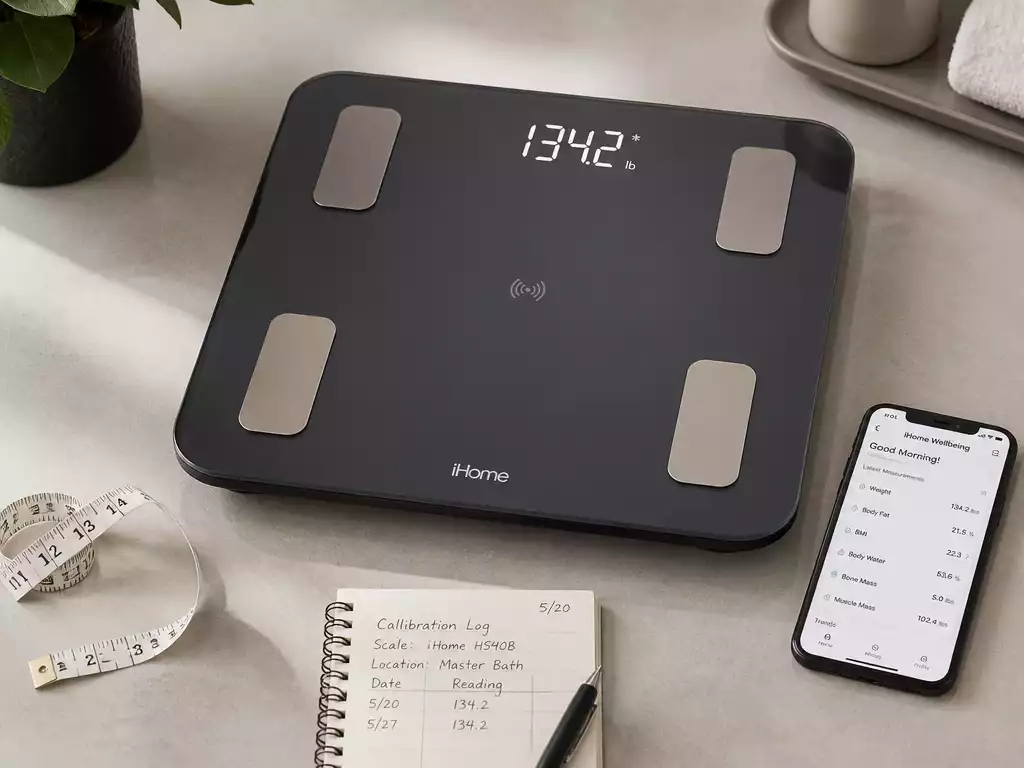
Did you know that regular calibration can significantly enhance the accuracy of your iHome Scale? Let’s explore some key insights that can help you maximize your scale’s performance!
What You Will Learn
- Understanding the importance of calibration for accurate readings.
- Identifying common factors that can affect scale accuracy, such as uneven surfaces and low battery.
- Utilizing Bluetooth connectivity for seamless tracking of health data through apps.
- Implementing effective maintenance tips to ensure your iHome Scale remains reliable.
- Recognizing when to seek professional help for persistent scale issues.
- Choosing a scale with durable materials and design features for longevity.
Understanding the iHome Scale: Calibration Basics
The iHome Scale is not just any ordinary scale; it’s a smart health companion that keeps track of your weight and helps you manage your fitness goals. But to ensure you’re getting accurate readings, understanding the basics of calibration is essential. Let’s dive into what makes the iHome Scale tick and how to keep it functioning properly!
This scale works by using advanced sensor technology to provide precise measurements. When you step on the scale, it sends signals to the internal sensors which then calculate your weight. But sometimes, these readings can be slightly off, which brings us to the importance of calibration.
What is the iHome Scale and How Does It Work?
The iHome Scale is designed for those looking to keep a close eye on their health. It not only displays your weight but can also sync with health apps via Bluetooth, allowing you to track your progress over time. The integration of technology makes it user-friendly, but calibration is still a key factor for accuracy.
- Bluetooth Connectivity: Connects to health apps for easy tracking.
- Multiple User Profiles: Allows family members to track their progress.
- Body Composition Analysis: Some models provide more than just weight.
By understanding how your iHome Scale works, you can maximize its potential and get the most out of your health tracking!
Common Issues with iHome Scale Accuracy
Even the best scales can face accuracy issues. Factors like uneven surfaces, low battery, or improper calibration can lead to incorrect readings. It’s important to address these factors to ensure you’re getting the most reliable data.
- Using a soft surface can skew measurements.
- Low battery power can lead to erratic readings.
- Not recalibrating after moving the scale can cause inaccuracies.
By identifying these common issues, you can troubleshoot and maintain the accuracy of your iHome Scale with ease!
Exploring Smart Scale Features: Bluetooth Connectivity and Health App Integration
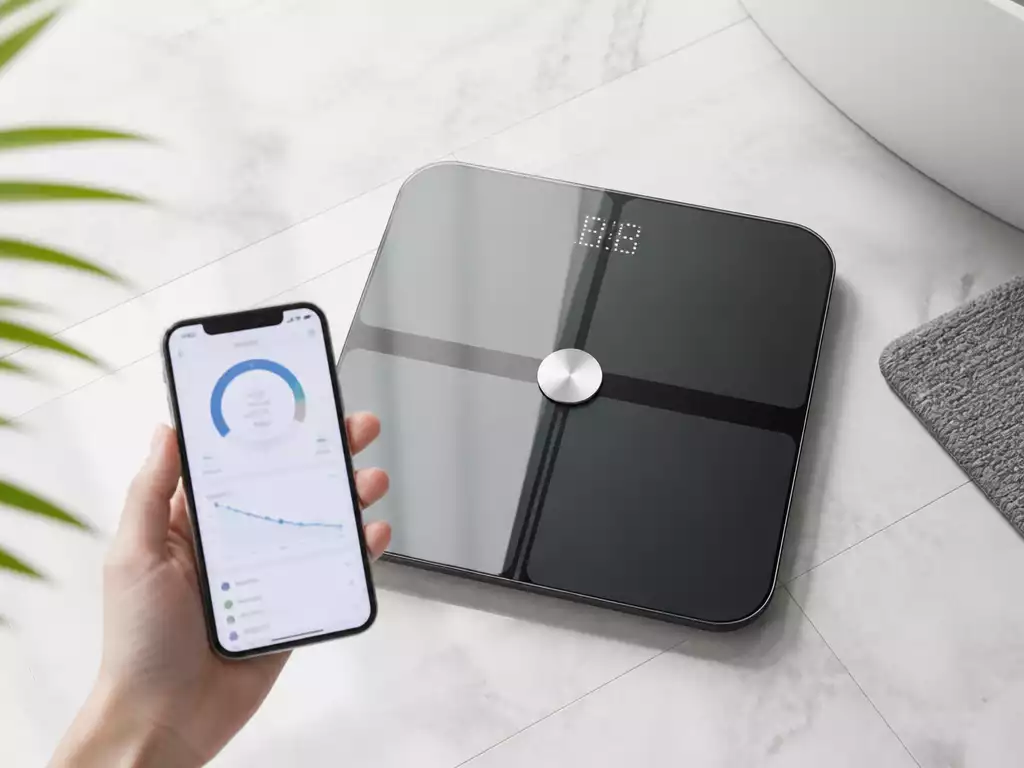
The iHome Scale comes packed with smart features that enhance your user experience. With Bluetooth connectivity, you can seamlessly sync your data to various health applications, keeping your fitness journey organized and accessible. This means you can track your weight changes over time, making adjustments to your diet or exercise regimen as needed.
- Real-time data tracking: See your weight change instantly on your device.
- User-friendly app interface: Navigate effortlessly through your health data.
- Goal setting features: Set and monitor health goals easily.
These features make the iHome Scale a versatile tool in your health journey, providing insights that can help you achieve your goals faster!
Pro Tip
To enhance the accuracy of your iHome Scale readings, consider performing a calibration check after moving the scale. This ensures that any previous settings are reset and that you’re getting the most reliable data during your health journey!
Final Thoughts on Maintaining Your iHome Scale
To ensure your iHome Scale provides accurate readings every time, regular maintenance is key! A well-kept scale can really help you stay on track with your health and fitness goals. Here are some effective tips that I’ve found useful for maintaining your scale:
- Keep the scale clean and dry to avoid any buildup that could affect performance.
- Store your scale in a location that is away from extreme temperatures or direct sunlight.
- Regularly check the battery and replace it as necessary to maintain accuracy.
Implementing these simple practices can make a world of difference! I always recommend a quick dusting after each use to ensure nothing interferes with the scale’s sensors.
Regular Maintenance Tips for Optimal Accuracy
In addition to the general upkeep outlined above, there are specific maintenance tips you can follow to keep your iHome Scale performing at its best. Here are some suggestions:
- Calibrate your scale monthly or whenever you notice inconsistencies in readings.
- Make sure to use it on a hard, flat surface for the most accurate results.
- Check for any debris or obstructions under the scale that could affect readings.
Following this maintenance routine will help ensure that your scale remains a reliable tool in your health journey. Remember, consistency is key!
When to Seek Professional Help for Scale Issues
If you’ve followed all the maintenance tips and your iHome Scale still isn’t performing like it should, it might be time to look for professional help. Here are a few scenarios where getting assistance is advisable:
- Persistent error codes that you can’t resolve.
- Mechanical issues that affect the scale’s performance.
- Display problems that do not improve with battery replacement or resets.
Don’t hesitate to reach out for support! Seeking help early can prevent further issues down the line.
Understanding Scale Design and Materials for Longevity
The design and materials of your iHome Scale play a significant role in its longevity. Understanding these aspects can help you take better care of your device. Here are some things to consider:
- Opt for scales made with durable materials like tempered glass or high-quality plastic.
- Check that the scale has non-slip feet to prevent sliding during use.
- Look for models with a warranty or customer support for added peace of mind.
By being aware of the design features, you can choose a scale that not only fits your needs but will also stand the test of time!
Frequently Asked Questions About iHome Scales
- 1. Why is calibration important for my iHome Scale?
- Calibration is crucial for ensuring accurate readings. Over time, or after the scale is moved, its internal sensors can become misaligned, leading to incorrect weight measurements. Regular calibration resets these sensors, providing reliable data for your health tracking.
- 2. What factors can affect the accuracy of my iHome Scale?
- Several factors can impact accuracy, including placing the scale on a soft or uneven surface, low battery power, or not recalibrating after moving the scale from one spot to another. Always ensure the scale is on a hard, flat surface and has sufficient battery power.
- 3. How does Bluetooth connectivity enhance the iHome Scale’s functionality?
- Bluetooth connectivity allows your iHome Scale to sync seamlessly with various health applications on your smartphone or tablet. This enables real-time data tracking, organized health records, and the ability to set and monitor fitness goals efficiently.
- 4. What are some essential maintenance tips for my iHome Scale?
- Key maintenance tips include keeping the scale clean and dry, storing it away from extreme temperatures and direct sunlight, and regularly checking and replacing batteries. Calibrating the scale monthly or when inconsistencies arise also helps maintain optimal accuracy.
- 5. When should I consider seeking professional help for my iHome Scale?
- You should seek professional help if you encounter persistent error codes that you cannot resolve, mechanical issues affecting performance, or display problems that do not improve after battery replacement or resets. Early intervention can prevent further complications.
Join the Conversation: Share Your iHome Scale Experience
I love hearing about your experiences with the iHome Scale! Sharing tips and tricks can help all of us get the most out of our devices. What has worked for you? Have you encountered any challenges? Let’s discuss!
Have Questions? Get Expert Answers!
If you have specific questions about your iHome Scale or scaling techniques, I’m here to help! Don’t hesitate to reach out, and let’s tackle those queries together. After all, an informed user is an empowered user!
Comparing iHome Scale Performance with Other Digital Scales
Lastly, if you’re curious about how the iHome Scale stacks up against other digital scales, I’d be happy to provide insights. Understanding the differences can help you make informed choices, whether you’re considering upgrading or simply want to know how your scale performs in the market.
Let’s keep the conversation going and support each other in our health journeys!
Recap of Key Points
Here is a quick recap of the important points discussed in the article:
- Regular calibration is essential for accurate readings on the iHome Scale.
- Ensure the scale is placed on a hard, flat surface to avoid measurement errors.
- Maintain your scale by keeping it clean and checking the battery regularly.
- Utilize smart features like Bluetooth connectivity for seamless health tracking.
- Seek professional help if persistent issues arise that cannot be resolved.





