
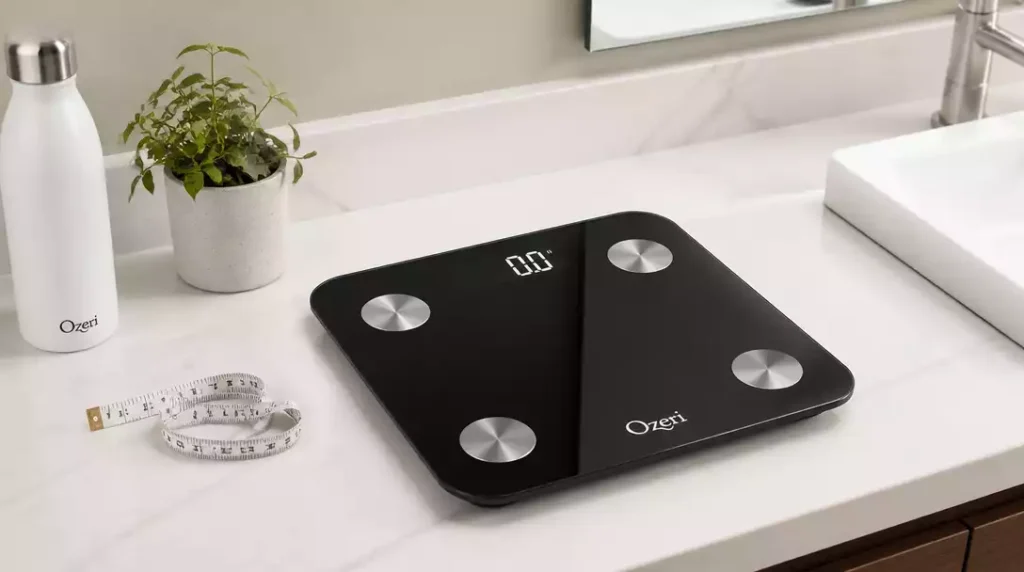
Did you know that tracking your body composition can provide more insights into your health than simply monitoring weight alone? Ozeri scales offer a comprehensive approach to understanding your body!
What You Will Learn
- Ozeri scales provide detailed body composition analysis, including metrics like body fat percentage and muscle mass.
- The scales connect to your smartphone, enabling seamless data tracking through health apps.
- Different Ozeri models cater to diverse user needs, from basic weight measurement to advanced functionalities.
- Regular maintenance and proper usage are essential to ensure accurate readings and prolong the lifespan of your scale.
Ozeri Scale Overview
Welcome to the world of Ozeri scales! Here, I’ll walk you through everything you need to know about these innovative devices. Ozeri scales are designed to make tracking your weight and body composition as easy and accurate as possible. Whether you’re a fitness enthusiast or someone just beginning a health journey, these scales can be an invaluable tool!
With various models available, each with unique features, you’re sure to find one that suits your needs. From basic weight measurement to advanced body composition analysis, Ozeri scales offer a range of functionalities to help you stay informed about your health. If you’re new to smart scales, you might also find our guide on how a body fat scale works to be an insightful read.
What is an Ozeri Scale?
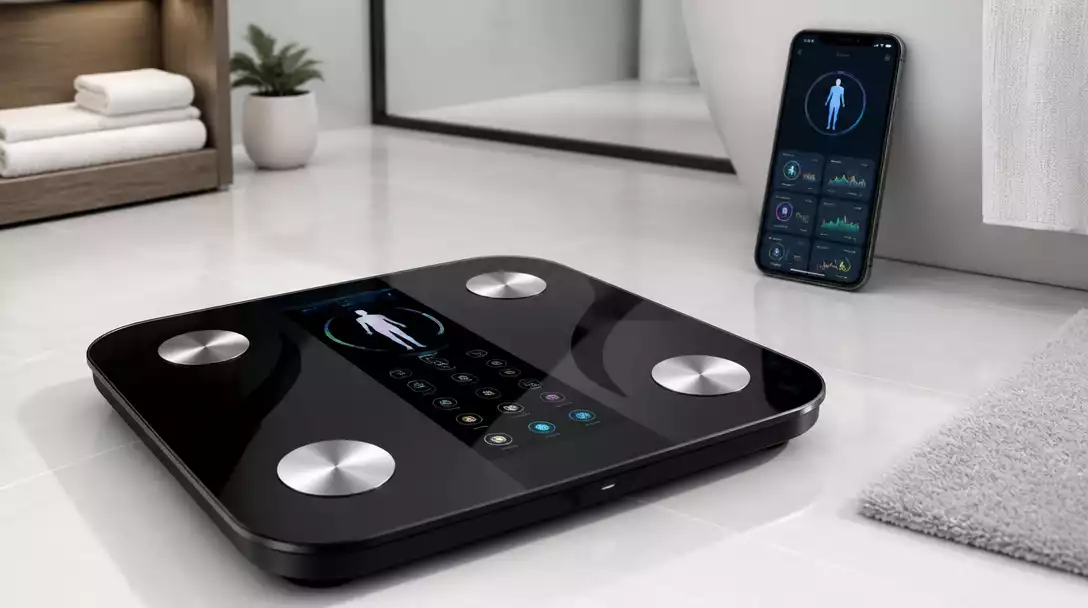
Ozeri scales are smart bathroom scales that provide more than just your weight. They utilize advanced technology to offer insights into body fat, muscle mass, bone density, and more. These scales connect seamlessly with your smartphones and apps, making it easy to monitor your progress over time!
- Weight Measurement: Accurate readings to help you keep track of your weight.
- Body Composition Analysis: Insights into your fat, muscle, and bone mass.
- Smart Features: Connectivity with health apps for data tracking.
By integrating these features, Ozeri scales allow you to gain a comprehensive understanding of your body, empowering you to make informed decisions about your health.
Different Models of Ozeri Scales
Ozeri offers a variety of scale models, each tailored to different preferences and needs. Here’s a quick look at some popular models:
- Ozeri Precision II: Known for its precision weight measurement.
- Ozeri Rev: Features touch-sensitive controls with a sleek design.
- Ozeri WeightMaster: Offers body composition readings alongside weight.
Choosing the right model can enhance your experience significantly, so consider what features matter most to you before making a decision!
Key Features of Ozeri Scales
Ozeri scales are packed with features to enhance your weight tracking experience. Here are some key features that stand out:
- Smart Technology: Connects to your smartphone via Bluetooth.
- Multi-User Profiles: Supports multiple users, making it great for families.
- High Precision Sensors: Ensure accurate readings every time.
These features not only make Ozeri scales user-friendly but also provide a comprehensive approach to managing your health goals!
Exploring Smart Scale Technology and Its Benefits
Smart scale technology has revolutionized how we think about weight and health management. With Ozeri scales, you can track changes over time and get detailed insights into your body.
- Data Tracking: Monitor your weight trends and body composition metrics.
- Health Insights: Get recommendations based on your readings.
- Convenience: Sync data effortlessly with health apps on your smartphone.
This technology helps you stay accountable and encourages consistent health monitoring, ultimately leading to better results!
Understanding Body Composition and Weight Tracking
Body composition refers to the percentages of fat, bone, water, and muscle in your body. Tracking this alongside your weight can provide a fuller picture of your health. Ozeri scales help with this by giving you insights into your body composition metrics!
- Weight: Your total body mass.
- Body Fat Percentage: The amount of fat relative to your total body weight.
- Muscle Mass: The weight of your muscle tissue.
Understanding these metrics can help you set realistic health goals and measure your progress more effectively. Plus, it empowers you to make informed lifestyle choices!
Did You Know?
Research shows that tracking your body composition can be more beneficial than just monitoring weight alone. In fact, a study found that individuals who utilized smart scales to track body fat percentage and muscle mass were 30% more likely to achieve their fitness goals than those who only tracked weight. Embrace the full potential of your Ozeri Scale!
Wrapping Up Your Ozeri Scale Setup
So, you’ve gone through the setup process for your Ozeri Scale—great job! The next step is to confirm that everything is working as it should. Successful setup means you can start tracking your weight and body composition efficiently. But how do you know if you’ve got it right? Let’s dive into the details!
Confirming Successful Setup and Initial Readings
First things first, let’s ensure that you’ve set everything up properly. You should begin by checking the initial readings of your scale. Here’s how to do it:
- Step on the scale without any extra items to get your baseline weight.
- Record the number displayed and compare it to other scales if possible.
- Make sure that your readings remain consistent over a couple of days.
If your readings are stable, congratulations! You’re ready to start using your scale for tracking progress. If not, don’t hesitate to revisit the setup steps. For instance, sometimes a simple reset can resolve issues, similar to how to reset a digital scale in general.
Next Steps for Regular Use and Maintenance
Now that you’ve confirmed your scale is working correctly, let’s discuss how to keep it in good condition while using it regularly. Here are some next steps:
- Weigh yourself at the same time each day for the best results.
- Keep the scale on a flat surface to avoid inaccurate readings.
- Regularly check battery levels to avoid interruptions.
By following these steps, you’ll ensure that your Ozeri Scale provides you with accurate information, helping you stay on track with your health goals!
Exploring Scale Maintenance Tips for Longevity
To make sure your Ozeri Scale lasts as long as possible, maintenance is key. Here are some tips to maintain your scale over time:
- Clean the surface regularly to prevent buildup that could affect readings.
- Store it in a dry place away from moisture to protect the electronics.
- Avoid dropping or banging the scale as it can lead to calibration issues.
Investing a little time in maintenance will pay off in the long run, ensuring that your scale remains a reliable tool for your weight management journey!
Frequently Asked Questions About Ozeri Scales
Here are some common questions about Ozeri scales and their usage:
- What kind of data do Ozeri scales track? Ozeri scales track weight, body fat percentage, muscle mass, bone density, and other body composition metrics.
- How do Ozeri scales connect to my smartphone? Ozeri scales typically connect to your smartphone via Bluetooth, allowing seamless data syncing with compatible health apps.
- Are Ozeri scales suitable for multiple users? Yes, many Ozeri models support multi-user profiles, making them ideal for families to track individual progress.
- What should I do if my Ozeri scale gives inconsistent readings? Ensure the scale is on a flat, hard surface. Check battery levels, and consider recalibrating the scale if issues persist.
- Where can I find troubleshooting information for my Ozeri scale? The user manual, often found with the product packaging or on the Ozeri website, provides specific error code meanings and troubleshooting tips.
Frequently Asked Questions About Ozeri Scale Setup
How to Change Units on an Ozeri Scale?
If you need to change units on your Ozeri Scale, simply press the unit button until your desired unit appears. It’s that easy! This process is often similar to how to change units on other scales as well.
What If My Scale Displays an Error Code?
Don’t panic! Error codes usually indicate a setup or calibration issue. Check the user manual for specific error code meanings and troubleshooting tips.
Can I Reset My Ozeri Scale and How?
Absolutely! To reset your scale, look for a reset button or remove the batteries for a few minutes before reinserting them.
How to Access the User Manual for Troubleshooting?
You can find the user manual on the Ozeri website or check the packaging your scale came in for a physical copy.
Connecting Your Scale to Fitness Trackers for Enhanced Weight Management
To connect your scale to fitness trackers, sync it via Bluetooth or Wi-Fi as specified in the user manual. This integration allows for comprehensive health tracking!
Get Started with Your Ozeri Scale Today
Final Tips for New Users
As you embark on this journey, remember to be patient with yourself. Tracking progress takes time, so celebrate small victories along the way!
Encouragement to Reach Out for Support
If you run into any issues or have questions, don’t hesitate to reach out! We’re here to support you!
Engaging with the Fitness Community for Support and Motivation
Joining a fitness community can provide extra motivation. Share your goals, celebrate achievements, and find encouragement from others who understand your journey!
Recap of Key Points
Here is a quick recap of the important points discussed in the article:
- Advanced Technology: Ozeri scales provide comprehensive body composition insights, including body fat, muscle mass, and bone density.
- Model Variety: Different models like Ozeri Precision II, Rev, and WeightMaster cater to varying user needs.
- Smart Features: Connectivity with apps and multi-user profiles enhance usability and tracking.
- Maintenance Tips: Regular cleaning and proper storage are essential for longevity and accurate readings.
- Consistent Usage: Weigh yourself at the same time each day for the most reliable results.





