
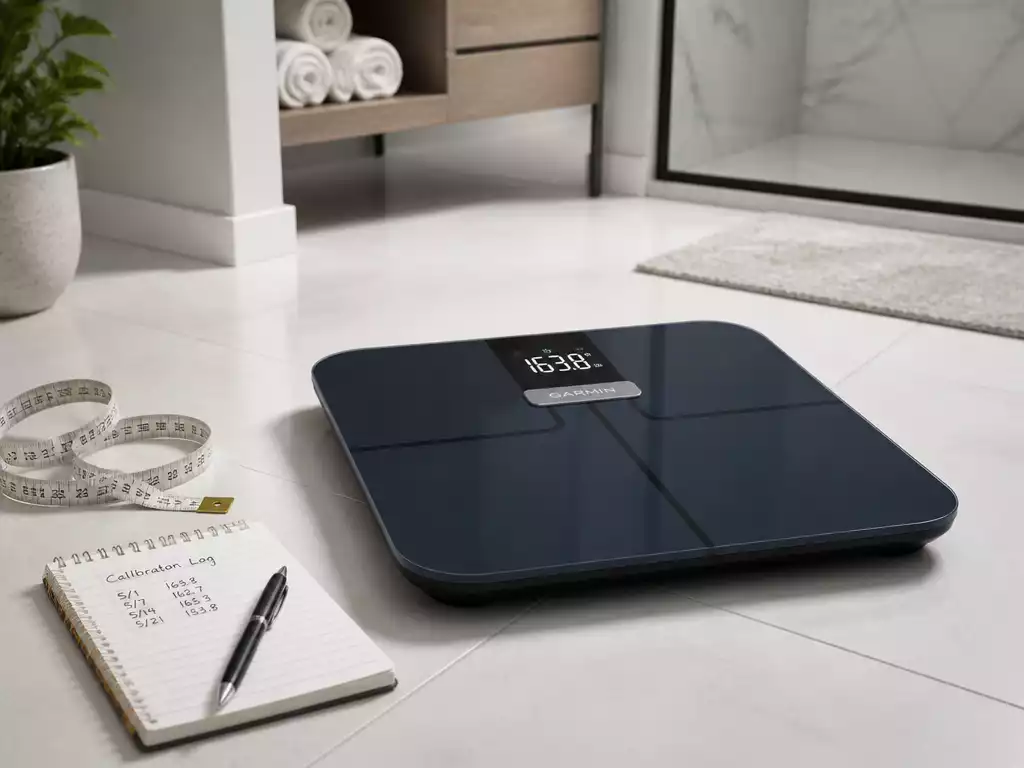
Consider the impact of reliable health data on your fitness journey. Calibration plays a critical role in ensuring that your Garmin Smart Scale delivers the precise measurements you need to track your progress effectively.
What You Will Learn
- Understanding the importance of calibration for accurate weight readings.
- The necessity of zeroing your scale before each use to ensure consistent tracking.
- How environmental factors can affect sensor accuracy and why regular calibration is essential.
- Steps to reset your scale and troubleshoot common issues leading to inaccurate readings.
- How to sync your Garmin Smart Scale with the Garmin mobile app for comprehensive health tracking.
- Key health metrics your Garmin Smart Scale can track, including body fat percentage and muscle mass.
- Best practices for maintaining your scale to ensure its longevity and accuracy.
Understanding Calibration for Your Garmin Smart Scale
Calibration is a crucial part of ensuring that your Garmin Smart Scale delivers accurate and dependable readings. When we talk about calibration in this context, we’re referring to the process of adjusting the scale so that it accurately measures your weight and other metrics. This process helps account for any discrepancies in measurements that could be caused by various factors, such as uneven surfaces or temperature changes.
In my experience, taking the time to properly calibrate your scale can make a significant difference in the data you receive. When you know your scale is zeroed correctly, you can trust the numbers it provides, which is essential for tracking your health goals effectively!
What Does Calibration Mean in the Context of a Garmin Smart Scale?
Calibration for your Garmin Smart Scale primarily involves ensuring that it reads zero when there is no weight on it. This process is essential because if the scale does not start at zero, every weight measurement can be off, leading to misleading data. Think of it like tuning a musical instrument; just as a guitar must be tuned to sound right, your scale must be calibrated to provide correct readings.
- Ensuring accuracy in weight readings.
- Allowing for consistent tracking over time.
- Preventing potential frustration from inaccurate measurements.
By understanding calibration, we can use our Garmin Smart Scale more effectively and confidently. It’s about making sure the data we rely on is solid and reliable, which ultimately helps us achieve our health objectives!
Why Zeroing the Scale is Essential for Accurate Readings
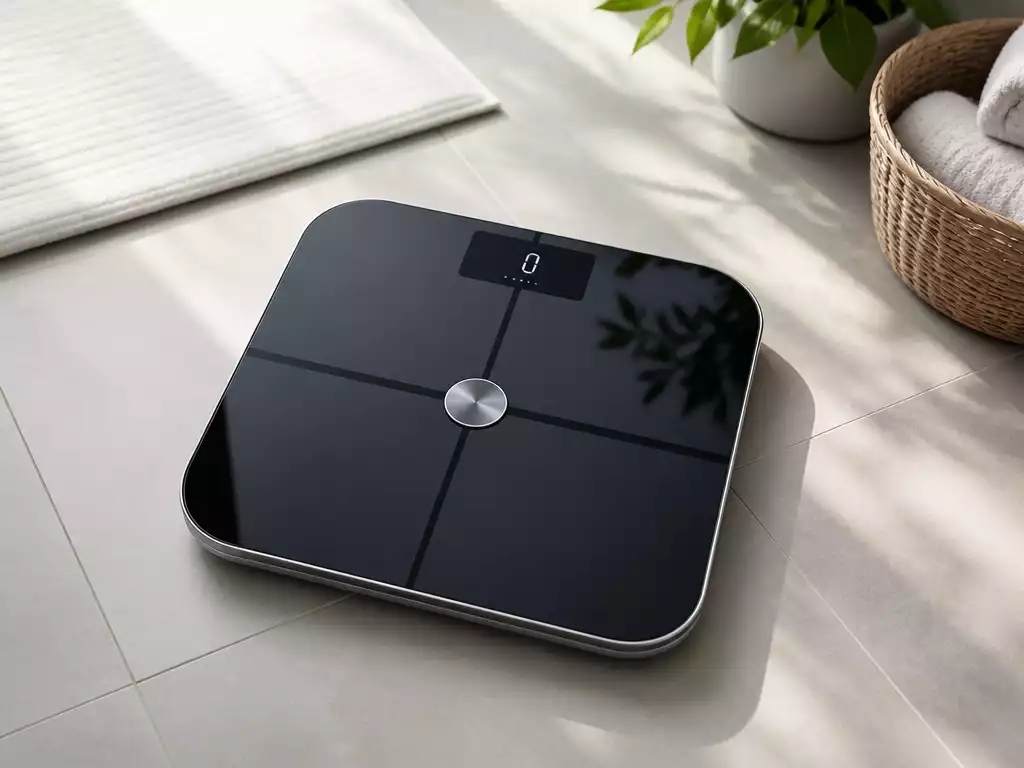
Zeroing your scale is an integral part of the calibration process. It’s the first step in ensuring that any weight measurement you take is accurate. When your scale is zeroed, it acts as a baseline, helping you track changes in your body weight more accurately over time.
I always recommend zeroing your scale before each use, as various factors can affect the readings, from slight shifts in the scale’s position to changes in temperature. A simple check to see that it reads zero can save you from potential confusion later on!
- Place the scale on a flat surface to ensure accurate zeroing.
- Make sure there is no weight on the scale during the zeroing process.
- Check the zero reading before stepping on the scale for your weight measurement.
By following these simple steps, you can set yourself up for success in accurately monitoring your health journey!
Understanding Sensor Calibration and Its Importance
The sensors in your Garmin Smart Scale are designed to detect weight and other metrics like body fat percentage. However, environmental factors and usage can affect their accuracy over time. Sensor calibration is about making sure these components are functioning correctly and providing precise readings.
When the sensors are calibrated properly, the scale can provide more detailed insights into your body composition. This is especially important if you’re tracking specific health metrics, as even a small miscalibration can lead to misleading information.
- Regularly calibrating sensors helps maintain their accuracy.
- Ensures you get the most accurate data for your health tracking.
- Can help identify potential issues with your scale’s performance.
Understanding the importance of sensor calibration is key to maximizing the benefits of your Garmin Smart Scale. By investing a little time in calibration, you’re investing in your health!
Pro Tip
Did you know? Regularly updating the firmware of your Garmin Smart Scale can enhance its performance and accuracy. Make sure to check the Garmin Connect app for any updates to keep your scale functioning at its best!
Frequently Asked Questions (FAQs) About Your Garmin Smart Scale
If you’re like me, you probably have a few questions about how to get the most out of your Garmin Smart Scale. It’s a fantastic tool for tracking your health, but understanding how to use it effectively is crucial. Here, I’ll tackle some of the most frequently asked questions (FAQs) related to your Garmin Smart Scale.
How to Reset Your Garmin Smart Scale?
Resetting your Garmin Smart Scale can help resolve issues you may face, like syncing problems or inaccurate readings. Here are the steps to follow to reset your scale:
- Make sure the scale is powered on and connected.
- Press and hold the reset button located on the back of the scale.
- Wait for the display to show a reset confirmation.
By resetting your scale, you give it a fresh start, which can often solve minor glitches. Don’t forget to recalibrate afterward for the best results!
Why Are My Garmin Scale Readings Inaccurate?
Inaccurate readings can be frustrating! There can be several reasons your Garmin Scale isn’t providing the correct data. Here’s a list of common culprits:
- The scale is on an uneven surface.
- There are objects nearby that might interfere with the sensors.
- You didn’t zero the scale before weighing yourself.
- Moisture or dirt on the scale could affect measurements.
Addressing these issues can lead to significant improvements in accuracy. I always recommend double-checking your setup to ensure everything is perfect!
How Do I Zero My Garmin Index S2 Smart Scale?
Zeroing your Garmin Index S2 Smart Scale is vital for getting accurate weight measurements. To do this, follow these simple steps:
- Place your scale on a hard, flat surface.
- Ensure no one is on the scale and it is turned on.
- Wait for the display to show “0.0” before stepping on.
It’s important to perform this step each time before you weigh yourself to avoid discrepancies. Trust me, it makes a world of difference!
How to Sync Your Scale with the Garmin Mobile App?
Syncing your Garmin Smart Scale with the Garmin mobile app allows you to track your health metrics seamlessly. Here’s how to do it:
- Open the Garmin Connect app on your phone.
- Ensure Bluetooth is enabled on your device.
- Follow the prompts in the app to connect your scale.
Once synced, you can easily monitor your readings and trends over time, giving you a better understanding of your health journey.
What Health Metrics Can My Garmin Smart Scale Track?
Your Garmin Smart Scale is not just a weight tracker; it measures a variety of health metrics that can help you understand your body better. Here are some key metrics it tracks:
- Body weight.
- Body fat percentage.
- Muscle mass.
- Bone mass.
- Body water percentage.
These measurements can help you make informed decisions about your health and fitness goals. I always find it motivating to see my progress laid out clearly!
Final Thoughts on Maintaining Your Garmin Smart Scale
Taking care of your Garmin Smart Scale is essential for ensuring accurate and reliable readings. Regular calibration and maintenance play a crucial role in your health tracking journey.
The Importance of Regular Calibration and Maintenance
Just like any other device, your scale benefits from regular upkeep. Calibration ensures that the readings you rely on are accurate. Remember to clean the surface and check for any wear and tear periodically.
Encouraging Consistency for Optimal Health Tracking
Consistency is key! By weighing yourself at the same time each day under similar conditions, you can get the most reliable data from your scale. This habit will help you track your progress more effectively.
Leveraging Smart Health Devices for Enhanced Data Insights
Using your Garmin Smart Scale in conjunction with other Garmin health devices can provide a comprehensive view of your health metrics. Together, they can help you gain valuable insights into your fitness journey!
Recap of Key Points
Here is a quick recap of the important points discussed in the article:
- Calibration ensures accurate weight readings and helps track health metrics effectively.
- Zeroing the scale before each use is essential for accurate measurements.
- Regular sensor calibration maintains accuracy and helps identify scale performance issues.
- Resetting the scale can resolve syncing problems and inaccuracies.
- Ensure your scale is placed on a flat surface and is free of obstructions for optimal performance.
- Consistent weighing habits enhance tracking reliability.





