
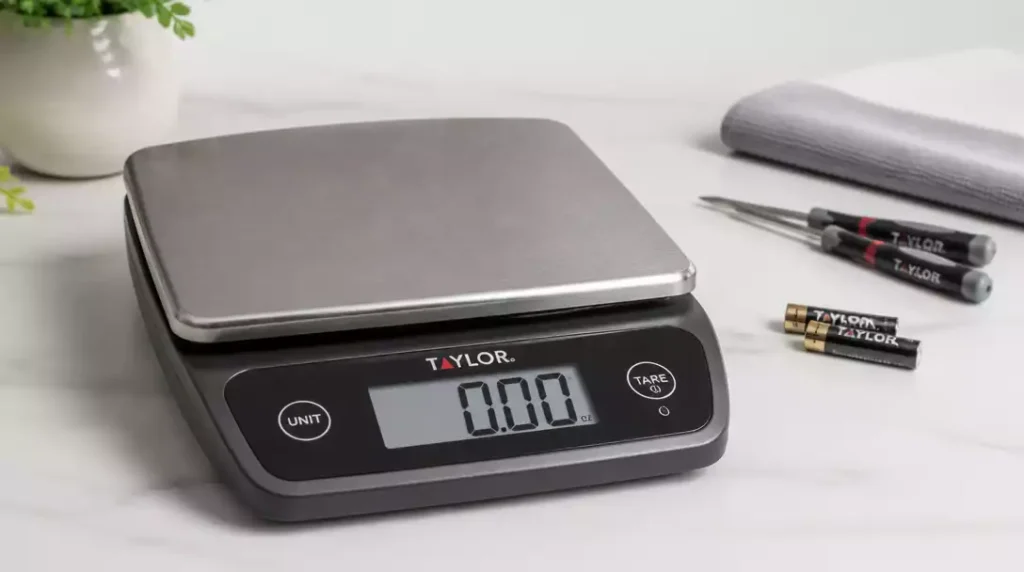
Did you know that proper maintenance can significantly extend the lifespan of your digital scale? Here are some essential insights to keep your Taylor scale in top shape.
What You Will Learn
- Common issues with Taylor digital scales include power failures, inaccurate readings, and error messages.
- Regular maintenance practices, like battery replacement and calibration, are crucial for accurate measurements.
- Cleaning your scale with a soft, damp cloth can prevent inaccurate readings and prolong its lifespan.
- Essential troubleshooting steps include checking battery connections, resetting the scale, and recalibrating.
- Regularly replacing batteries and following maintenance guidelines can prevent future issues.
Common Issues and Solutions for Your Taylor Digital Scale
As a proud owner of a Taylor digital scale, you may encounter a few hiccups along the way. It’s important to know what to look for when your scale isn’t performing as expected. Common issues include no power, inaccurate measurements, and occasionally, error messages. Identifying these problems early can save you time and frustration!
Here are some frequent issues you might face with your Taylor scale:
- Scale won’t turn on
- Readings fluctuate or seem incorrect
- Error messages displayed on the screen
Understanding these problems is the first step towards finding effective solutions. With a bit of troubleshooting, you can typically resolve these issues without needing professional help. If you’re encountering persistent issues, you might find our guide on how to fix a broken digital scale helpful for more in-depth solutions.
Importance of Regular Maintenance
To keep your Taylor scale in optimal condition, regular maintenance is key! Just like any device, your scale benefits from routine checks. This includes tasks like battery replacement and calibration. These checks ensure that your scale is not just functioning, but functioning accurately.
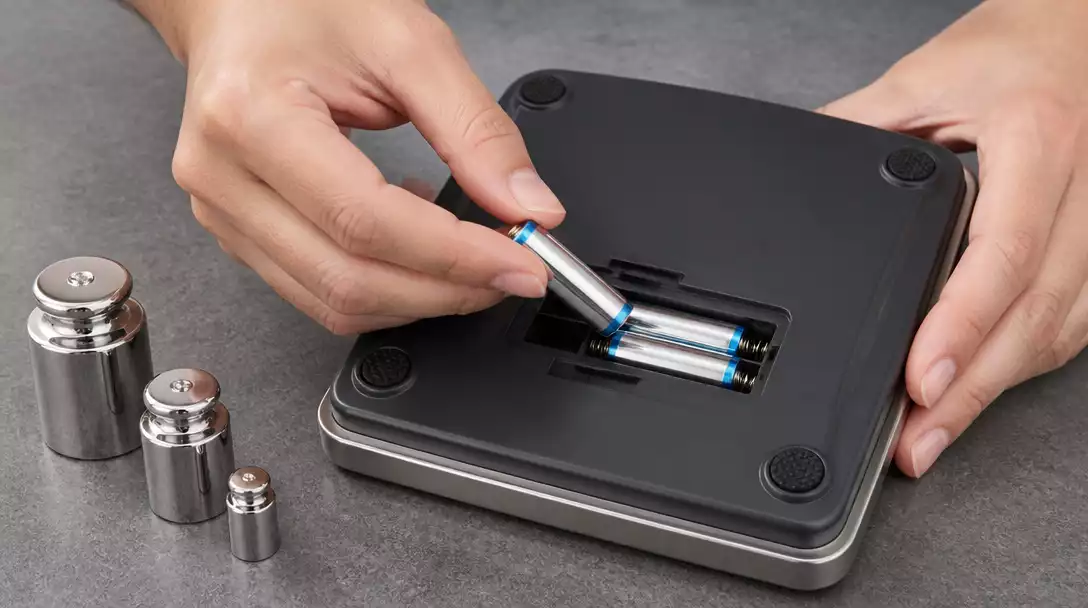
- Replace batteries promptly when the low battery sign appears.
- Calibrate your scale every few months for consistent accuracy.
- Follow user manual guidelines for optimal maintenance practices.
By staying ahead of maintenance, you’ll enjoy accurate readings and a longer lifespan for your scale. It’s worth taking a few moments every couple of months to do these small checks!
Best Practices for Cleaning Your Taylor Digital Scale
Keeping your Taylor digital scale clean is essential for maintaining its performance and longevity. A dirty scale can lead to inaccurate readings, so it’s important to establish a cleaning routine. Here are some best practices to follow:
- Use a soft, damp cloth to wipe down the surface.
- Avoid harsh chemicals that could damage the surface.
- Ensure the scale is dry before using it again.
Cleaning your scale is a simple yet effective way to ensure its accuracy and improve its lifespan. Trust me, a little care goes a long way in keeping your Taylor scale in tip-top shape!
Pro Tip
Did you know? Regularly calibrating your Taylor scale can significantly improve its accuracy. Aim to recalibrate every few months or after any significant relocation of the scale to ensure consistent measurements!
Recap of Essential Steps for Fixing Your Taylor Digital Scale
When it comes to troubleshooting your Taylor digital scale, there are a few essential steps that can save you a lot of time and frustration. First, always start with checking the batteries. A simple battery replacement can resolve many power-related issues. If that doesn’t work, don’t hesitate to reset and recalibrate your scale, as these steps can restore its accuracy.
- Check the battery connections and replace batteries if necessary.
- Reset your scale by following the specific model instructions.
- Recalibrate to ensure the scale reads accurately.
By following these steps, you can often resolve any minor issues. However, if you’re still experiencing problems, it might be time to dive deeper into model-specific troubleshooting!
Frequently Asked Questions About Taylor Digital Scales
- Q: Why won’t my Taylor digital scale turn on?
- A: The most common reason is low or dead batteries. Check the battery connections and replace them if necessary. Ensure the batteries are inserted correctly.
- Q: How often should I calibrate my Taylor scale?
- A: It’s recommended to calibrate your scale every few months or after moving it to a new location to maintain consistent accuracy.
- Q: What should I use to clean my digital scale?
- A: Use a soft, damp cloth to wipe down the surface. Avoid using harsh chemicals as they can damage the scale’s sensitive components and finish.
- Q: My scale is showing inaccurate readings. What should I do?
- A: First, try replacing the batteries. If the issue persists, reset the scale according to your model’s instructions and then recalibrate it. Ensure the scale is on a flat, stable surface.
- Q: Where can I find my Taylor scale’s user manual?
- A: You can usually download user manuals for specific models from the official Taylor USA website under their support or manuals section.
Next Steps for Ongoing Scale Performance
Maintaining your Taylor scale is crucial for its long-term performance! I encourage you to make a habit of regular checks and maintenance. Remember to replace batteries when they start to run low and calibrate your scale every few months. Following these best practices will help you achieve consistent and accurate readings. For specific instructions on changing batteries, refer to our guide on how to change battery in Taylor scale.
- Regularly replace batteries to avoid power issues.
- Calibrate your scale according to the manufacturer’s recommendations.
- Keep the scale clean to ensure optimal performance.
These small steps can go a long way in preventing issues down the road, making your experience with the Taylor scale smooth and rewarding!
Join the Conversation: Share Your Taylor Scale Experiences
I’d love to hear from you! Sharing your troubleshooting tips and experiences with Taylor scales can help others in our community. Whether it’s a quirky fix you found or a question you have, your input is invaluable. Leave a comment below, and let’s create a supportive space for everyone to learn from each other!
Exploring User Experiences and Customer Reviews
Customer feedback gives us valuable insights into how our Taylor scales are performing in real-life situations. Many users often share their thoughts on features, ease of use, and accuracy. By understanding common user experiences, we can better appreciate the strengths and weaknesses of our scales. I encourage you to check out reviews and see what others are saying!
Resources for Further Troubleshooting and Support
If you’re looking for more assistance, there are plenty of online resources available. Taylor provides detailed troubleshooting guides that cover various issues you might encounter. Here are a few helpful resources you can explore:
- Taylor Support Page – Comprehensive guides and FAQs.
- User Manuals – Download manuals for specific models.
- Taylor’s YouTube Channel – Video tutorials on troubleshooting and maintenance.
These resources can be incredibly helpful for addressing any lingering concerns with your digital scale. Don’t hesitate to reach out for support when needed! For more general calibration advice, see our article on how to calibrate a digital scale.
Recap of Key Points
Here is a quick recap of the important points discussed in the article:
- Check battery connections and replace batteries when necessary to resolve power issues.
- Regularly calibrate your scale every few months for consistent accuracy.
- Keep your scale clean using a soft, damp cloth to ensure optimal performance.
- Reset and recalibrate your scale if you encounter any inaccuracies or error messages.
- Utilize available online resources for further troubleshooting and support.





